v1.13.1 ·
Secure-message notifications for patients without portal accounts
Fixed missing notifications when sending secure messages to patients who have not registered. Notifications now include a sign-up link, and the assistant’s send dialog closes after a successful send.
Notify patients who have not registered
Previously, patients without a portal account were not notified when a provider sent them a secure message—even when contact information was on file.
These patients can now receive an email or text notification with a link to create their account and read the message. Notifications continue to respect the patient’s communication preferences, registration preferences, and text-message consent.
The registration link is single-use and valid for 7 days. The email also reminds patients not to forward the link.
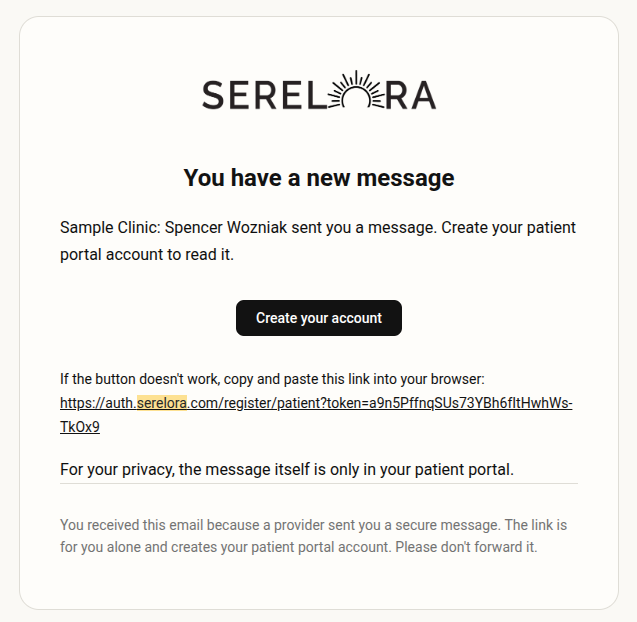
Access messages before finishing onboarding
This patch adds a limited messaging view for patients who have created an account but have not completed onboarding. It includes a Finish setup prompt and supports reading and replying to an existing conversation, while other portal sections remain unavailable until setup is complete.
Some patients could still encounter registration or navigation problems in this version, as described below.
Send and return to the conversation
The assistant’s Send a secure message dialog now closes automatically after a successful send, rather than staying open and requiring an additional click on Close.
Known issues
Production testing identified two remaining problems: some sign-up links displayed “Invalid or expired link,” and patients with unread messages could still be directed to onboarding instead of their conversation.
Both issues are fixed in v1.14.0. Review that changelog entry for the follow-up patient-access fixes.