v1.14.1 ·
Sidebar visit controls, improved document processing, and reusable assistant skills
Manage open visits from the patient sidebar, search patients more flexibly, and save reusable assistant procedures. This release also improves document extraction and recovery from interrupted note saves, imports, and assistant workflows.
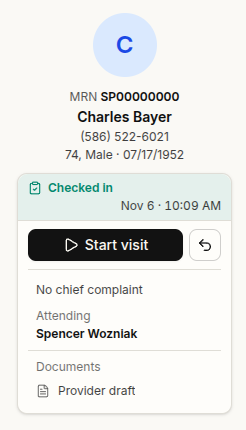
Manage the open visit from the patient sidebar
The patient’s open visit now appears in the chart sidebar, with its status, time, attending clinician, participants, and linked documents.
Visit-starting controls, including check-in and starting a walk-in, have moved from the Actions menu to this area. Existing clinic settings and staff permissions still apply.
A visit cannot be closed while it has an unsigned note attached. This check applies when closing from the sidebar, Billing checkout, or the Sign Notes worklist.
Notes and addenda can also be attached to a finished encounter without reopening it, supporting documentation completed after the visit. Voided encounters cannot receive these attachments.
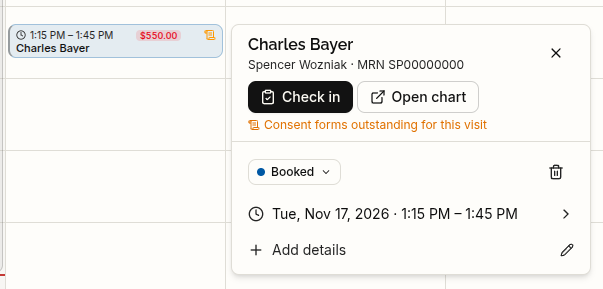
Update appointment status from the calendar
Appointment cards now include a status dropdown and a Delete dialog.
From the card, you can mark an appointment as a No-show, record a Cancellation with a reason, or mark it Entered in error. Entered-in-error appointments are hidden from the calendar rather than appearing as scheduled visits.
Find patients using more of their record
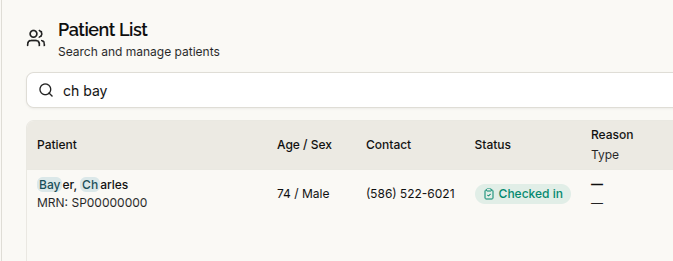
Patient-list search now matches words in any order and includes preferred names, previous or maiden names, MRNs, phone numbers, email addresses, and dates of birth.
A match hint explains why a patient appeared in the results, making it easier to distinguish similar records.
You can also click column headings to sort chart tables, the Sign Notes and co-signature worklists, and administrative tables. This update does not add column sorting to the patient list or audit log.
Better extraction of tables and large clinical documents
Document processing now better preserves bordered tables and lab-style tables without visible borders. Table headings help identify whether rows contain medications, conditions, immunizations, allergies, lab results, or other observations, and rows stay together during processing.
This release also fixes a bug that could cause large C-CDA clinical-summary uploads to freeze record processing. FHIR lab-report imports and other large-document workflows have received performance improvements.
Existing documents retain their previously extracted findings until Retry extraction is run.
Review sources and delete uploads from the document viewer
Source highlighting has been corrected for C-CDA and FHIR records, helping you locate the passage behind a chart finding in the document viewer. Older C-CDA uploads also receive improved highlighting while awaiting re-extraction.
Authorized staff can now delete an uploaded document directly from the viewer header, including an upload whose extraction failed.
Deleting an upload also removes findings supported only by that document. Findings supported by other documents remain. This action is for uploaded documents, not a new way to delete signed clinical notes.
A separate fix reduces duplicate workspace tabs when the same document is opened from different parts of the platform.
More reliable note saving and interrupted-work recovery
If a temporary connection or service interruption prevents a draft save, the editor now shows “Reconnecting…” and retries for up to about five minutes.
A save that completed but lost its confirmation is recognized rather than incorrectly reported as an editing conflict. Retrying the creation of a draft also no longer creates another copy of that draft.
Interrupted assistant responses are no longer marked as complete. The assistant retains a record of actions already performed, helping prevent an approved action from being repeated when the conversation is retried.
Interrupted FHIR imports can resume the same job without creating another patient record. Practice Agent cohort reviews, messaging campaigns, and reminders also have improved recovery during platform updates.
Save reusable procedures with Skills
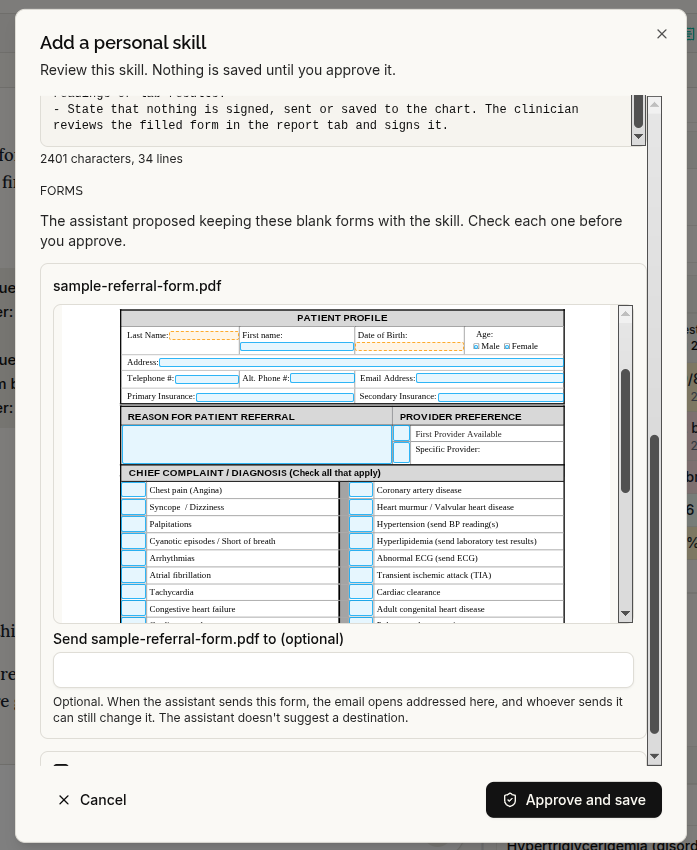
When enabled for your clinic, Skills provides reusable procedures for the chart assistant and the Practice Agent.
Skills can be available across the platform, shared within a clinic, or saved for personal use. Personal and clinic-wide management follow the appropriate staff permissions.
The assistant can draft a skill, but it is saved only after you confirm it. This gives you a way to reuse an approved workflow rather than repeatedly entering the same instructions.
View external connections in one place
When enabled, Administrative → Integrations brings external connection entries into a searchable directory, with connection controls where supported.
Gmail and Google Drive connections cannot yet be completed, and Spruce messaging remains inactive in this release. Their presence in the directory does not mean they are connected or available for clinical use.
Subscription pricing updates
The default subscription price for new checkouts is now $499 per seat per month.
Existing subscriptions do not change automatically. The configured price applies when a clinic next completes checkout. Clinic-specific seat pricing and multi-year prepayment arrangements can also be configured through Serelora.
Faster loading and everyday fixes
Performance improvements cover initial platform loading, chart opens, calendar views, document viewing, longer assistant responses, and Practice Agent cohort summaries. Large roster imports also process more efficiently.
Several smaller workflow fixes are included:
- Provider selection: The assigned clinician remains visible while the provider list loads or encounters an error, rather than reverting to “Select a provider.”
- Scheduling: Working Hours preserves split schedules and breaks, time dropdowns scroll correctly inside dialogs, and appointments without an end time display “No end time.”
- Problem List: Clearer counts, separated rows, aligned status labels, and “View all N problems” make the sidebar easier to scan.
- Account access: Password recovery directs unverified accounts to activation, patient password-reset links are single-use, and the set-password form works better with password managers.
For earlier uploads with table-extraction problems, use Retry extraction to apply the updated processing, then review the resulting chart findings.