v1.3.0 ·
Mobile scribe, transcript review, and appointment scheduling
Record visits in the new provider mobile app and review draft notes alongside their transcripts. Manage appointments in a day or week calendar, with patient self-booking through portal chat.
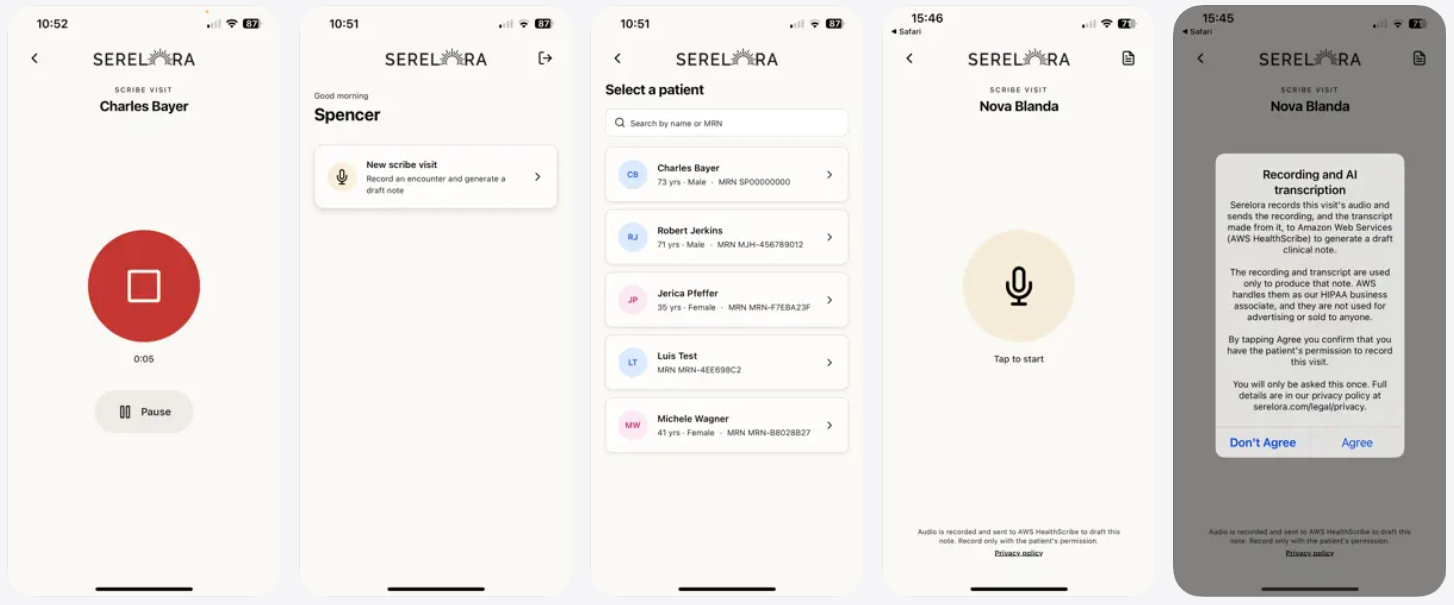
Turn mobile recordings into draft clinical notes
The new provider mobile app lets you select a patient and record a visit. Once the recording has been processed, a draft clinical note appears in the platform for review and editing.
Persistent notifications in the platform let you know when background transcription jobs are complete, so you can continue working while a recording is processed.
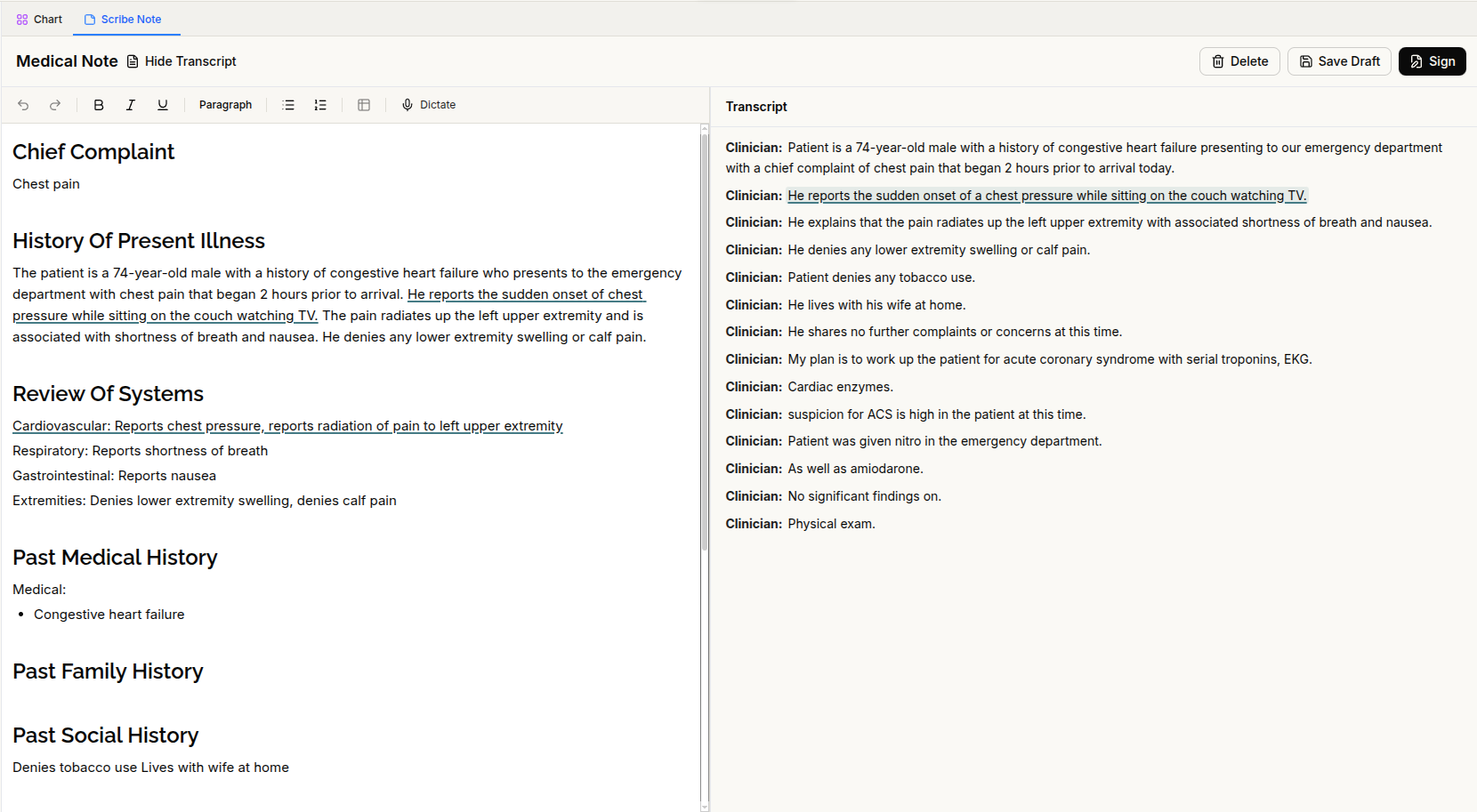
Review scribe notes alongside the transcript
A new side-by-side transcript view lets you review a generated note alongside the encounter transcript and trace note content back to the source text.
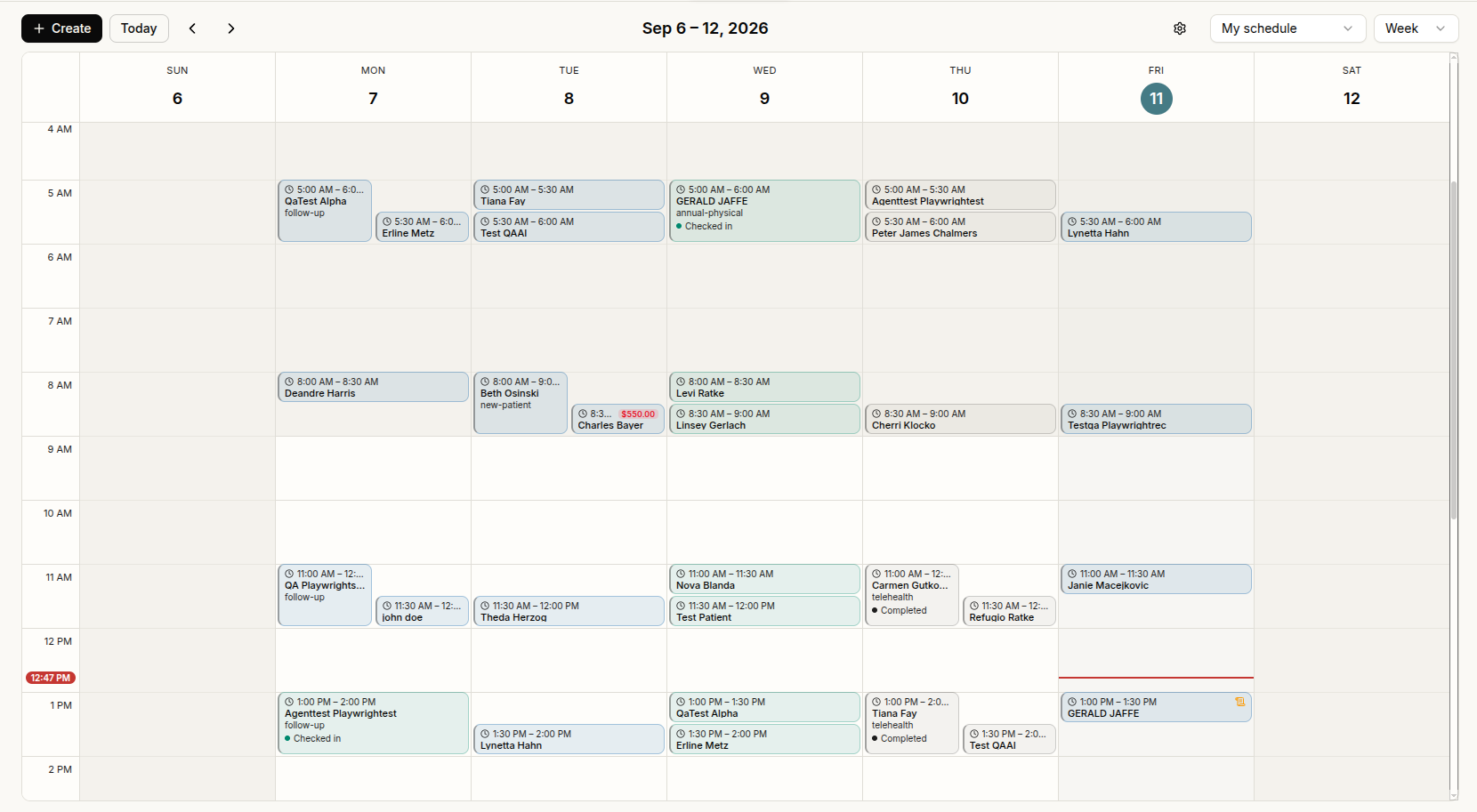
Manage appointments in the calendar or main chat
The new provider calendar gives you Day and Week views of your appointments. Scheduling actions are also available through the main chat.
Changing an appointment’s start time now preserves its duration, and the cancellation dialog includes a field for the cancellation reason. Switching from Week to Day view keeps you within the week you were viewing.
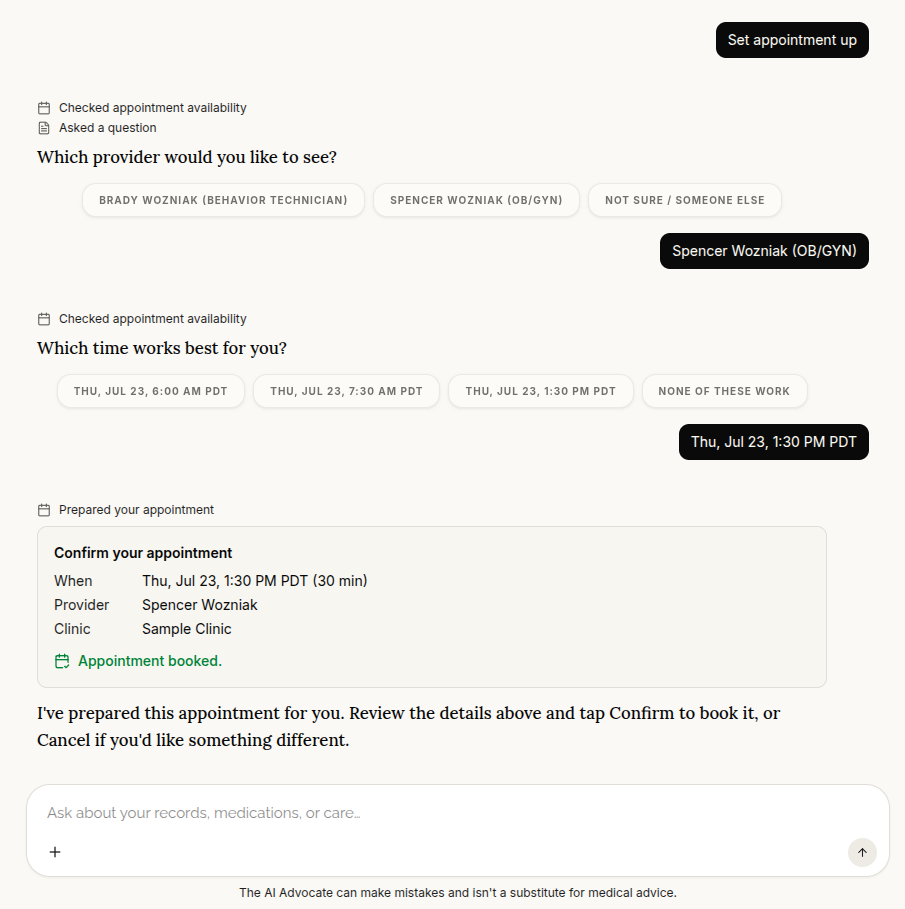
Let patients book and manage appointments through the portal
Patients can now book, reschedule, and cancel appointments through the AI advocate in portal chat. A new Appointments tab gives them a place to view their appointments.
Booking availability follows the clinic’s timezone and provider working hours. Patients who do not have a linked clinic receive guidance when they try to schedule.
Dictate chat messages and find patients as you type
Chat now supports live dictation, so you can speak a message instead of typing it. You can also choose an AI model for each message rather than using a single account-wide selection.
The updated patient selector shows matching results as you type, includes avatars, and provides an option to create a patient directly from the selector.
Refreshed navigation and everyday fixes
The interface has a refreshed teal-and-cream design, with color-coded icons in the sidebar, patient chart, and workspace tabs.
Several workflow fixes are also included:
- Consistent sign-in across tabs: Signing in, signing out, or switching users now updates all open browser tabs.
- Documents in separate patient records: Identical files uploaded for different patients are handled separately in each patient’s record.
- More reliable chat connections: Fixes help prevent interruptions while waiting for longer-running assistant responses.
- Note formatting: Typing a single asterisk no longer causes subsequent text to become italicized.
Patient signup forms have also received fixes, and patient portal dialogs now include additional accessibility descriptions.