v1.8.0 ·
Redesigned patient charts, clinic-specific roles, and document search
Review a reorganized chart summary, search within document text, and manage clinic-specific staff permissions, with clearer document-processing statuses and consent alerts.
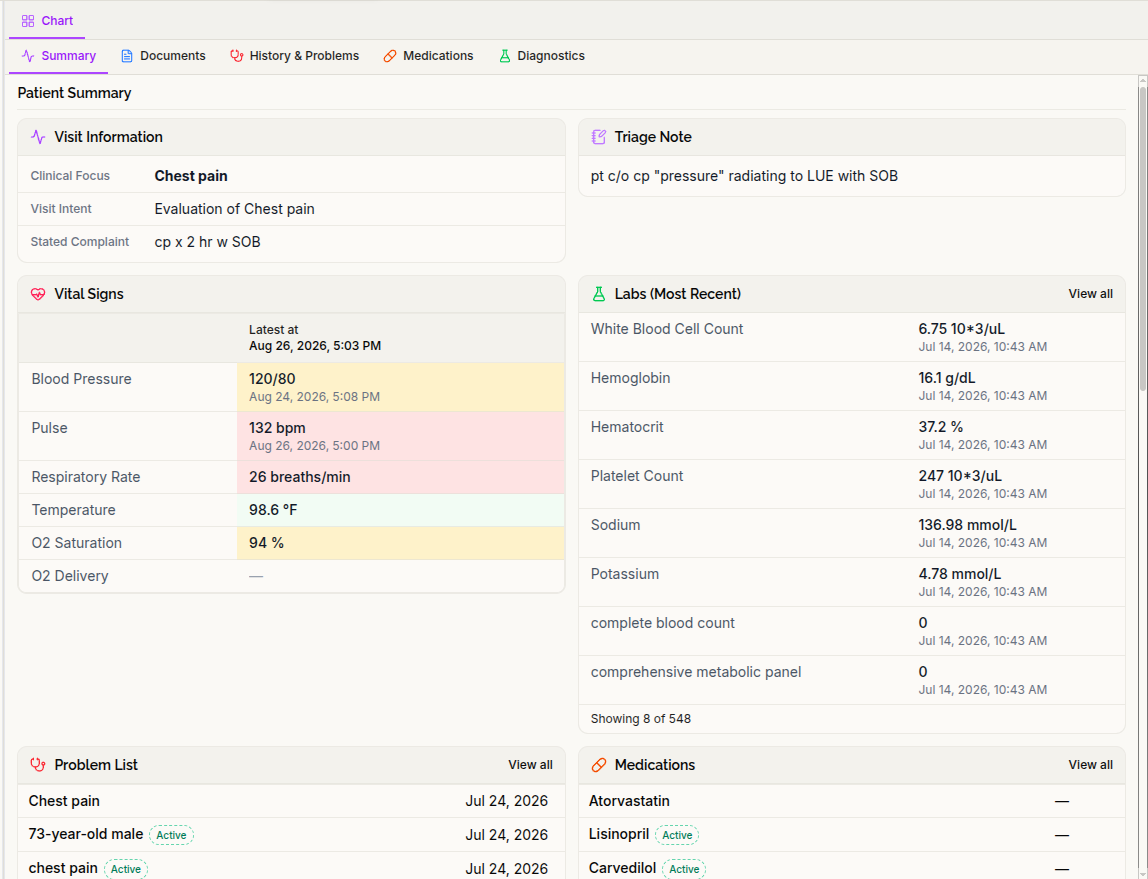
Find clinical information in a reorganized chart
The patient chart now has fewer tabs and a more compact Summary, bringing related information together.
Allergies and Immunizations are now in Summary. History & Problems brings current problems and medical history together, while Diagnostics contains the Labs and Imaging views.
The Summary focuses on clinically active medications and problems, with presumed-active entries clearly marked. Vitals show when each latest measurement was recorded, rather than implying that all readings were taken together. The Medications tab also lists active medications before inactive entries.
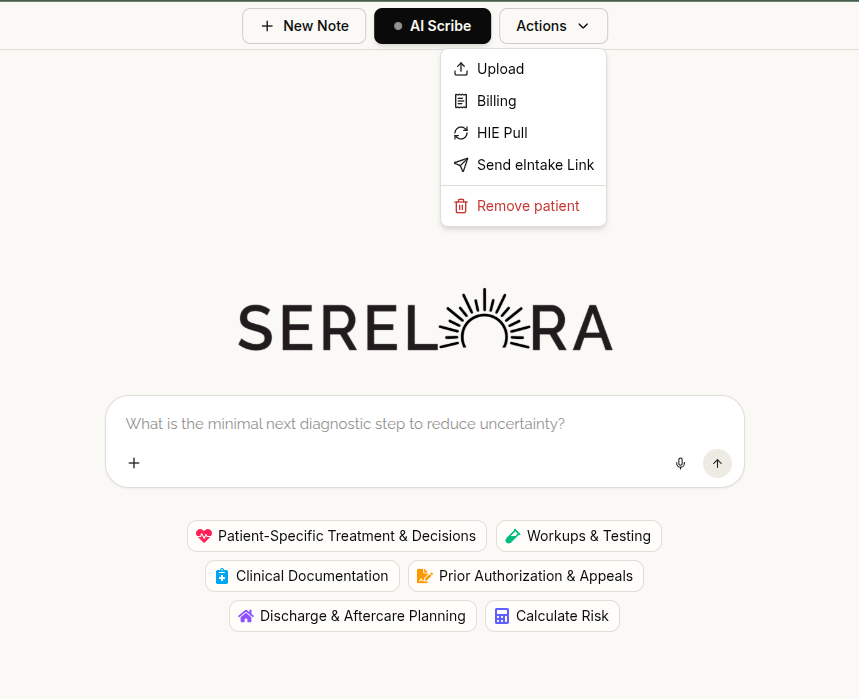
Open patient actions from the chart header
The new Actions menu replaces the standalone Upload button and groups patient-specific actions in one place.
Billing, Insurance, and HIE Pull now open as separate workspace tabs rather than occupying the chart’s tab strip. Document upload is also available through Actions. New Note and AI Scribe remain directly accessible in the chart header.
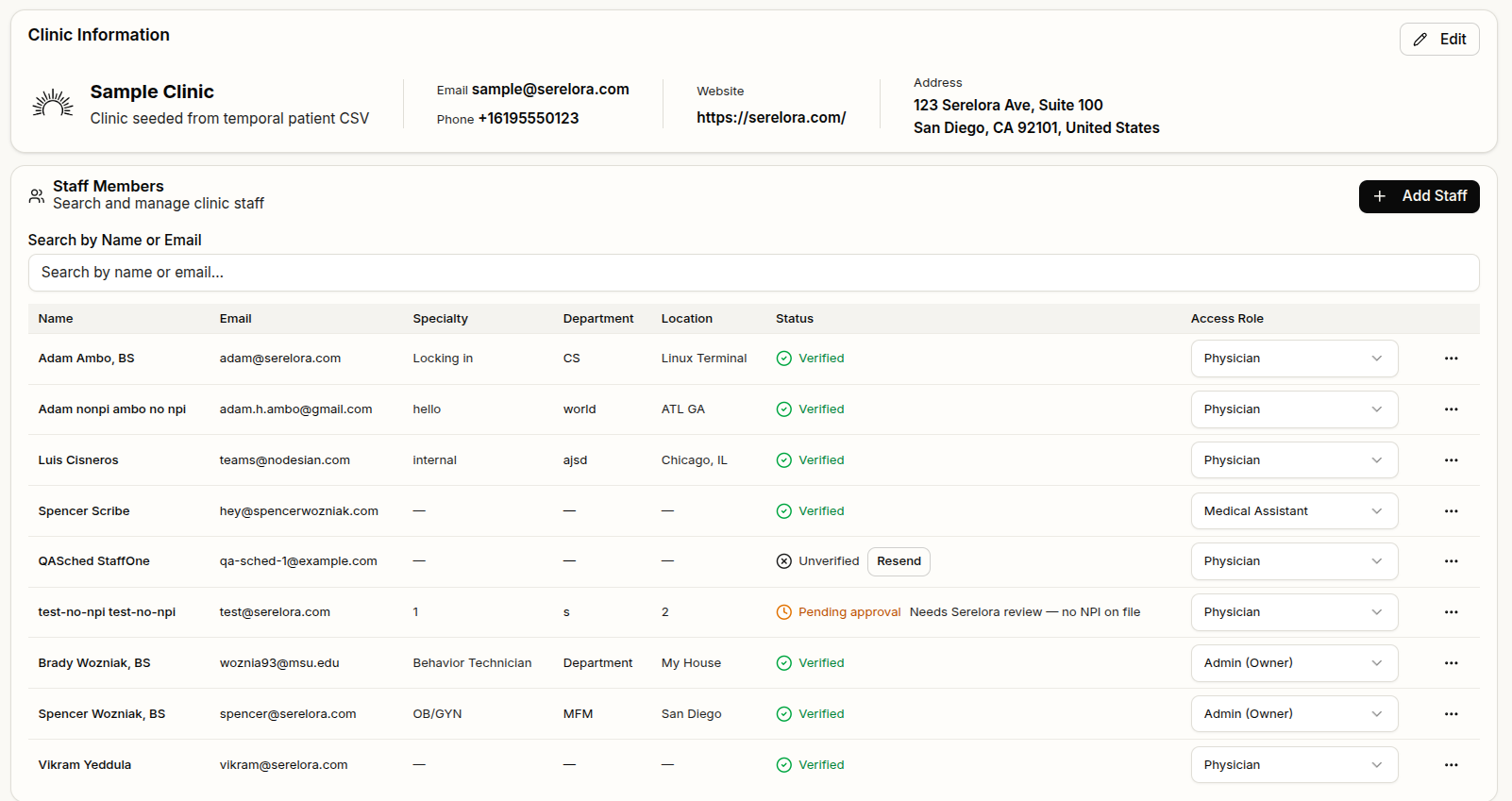
Work with clinic-specific staff permissions
Access is now assigned through staff roles within each clinic, with separate permissions for viewing information and making changes. Clinic administrators can assign staff roles, and a person’s permissions can differ between clinics.
Controls for actions you cannot perform are hidden, while information you are authorized to view remains visible. The same permissions apply to actions requested through the clinical assistant.
The Medical Assistant role can update chart information but cannot sign notes. Authorized clinic staff can also access their clinic’s audit trail and consent-management screens.
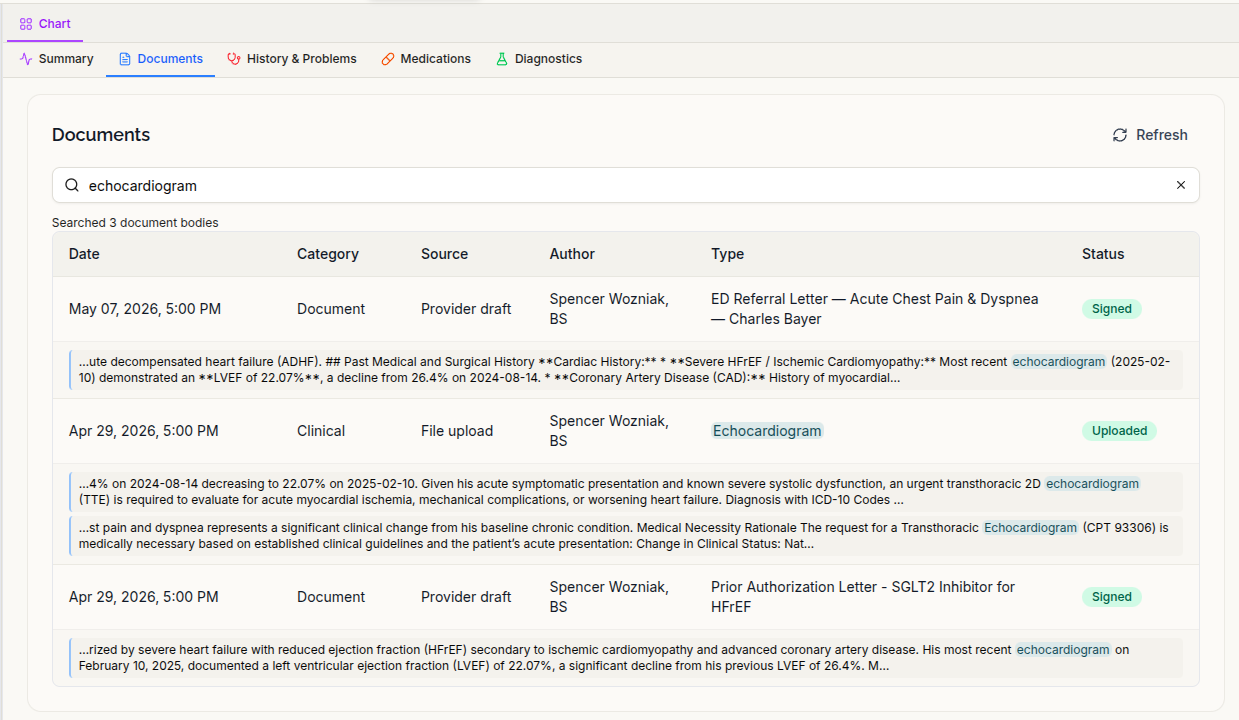
Search document contents directly from the Documents tab
Documents search now looks inside document text, not just filenames and metadata.
Results highlight matching fields and show text excerpts that link directly to the corresponding passage. Search notices disclose coverage limits and indicate when a document contains more matches than are displayed.
See when document processing is incomplete
The document viewer now shows when extraction is still in progress and refreshes as processing finishes, instead of incorrectly reporting that the document has no extractable text.
When text recognition reads some pages but fails on others, the document is flagged as a partial read, rather than presented as complete. Blank pages alone do not trigger this warning.
Stalled uploads no longer remain in an uploading state indefinitely. Re-uploading an identical file to the same patient record also no longer starts duplicate extraction.
More reliable imports and source-linked findings
Patient-name checks now also cover FHIR and C-CDA uploads. The Extract anyway option can allow findings to be imported, but does not bypass safeguards on changes to patient identity details.
Family-history imports better preserve the relationship between relatives and their conditions. C-CDA imports retain the relative alongside the condition, and FHIR imports include all recorded family-history conditions rather than only the first.
Deleting a document now retires findings that no longer have a supporting source, preventing them from remaining in the assistant’s context as unsupported information. Findings supported by other documents are retained.
Fixes for everyday workflows
- Return to where you started: Leaving a patient chart returns you to the patient list or calendar view that opened it, including the patient list’s search and scroll position.
- Send intake invitations to imported patients: Send eIntake Link now works for patients created through roster or record imports who have not yet registered.
- Clearer consent alerts: When consent status cannot be retrieved, the chart reports that it is unavailable rather than implying there are no consent concerns.
- Current signed-note content: Reopening a note now refreshes its contents so a recently signed addendum is not hidden by an older cached version.
- More accurate mobile sign-out messages: Provider mobile sign-out now revokes sessions on the server. When that revocation cannot be confirmed, the app explicitly reports “Signed out on this device.”