v1.9.0 ·
Chart reconciliation, better notes, and hardened security
Review and reconcile chart findings within Serelora, manage notes awaiting signature or co-signature, and manage custom roles so staff can have tailored workflows. This release also expands scheduling, billing, patient mobile access, and multi-clinic workflows.
Note on feature availability: Some capabilities require enablement for your clinic and the appropriate staff permissions.
Review more of the chart at once
Patient chart tables now use a more compact grid, reducing spacing so more clinical information is visible without scrolling. Detail tabs are also color-coded by the category of information they contain.
The Labs tab now displays results in columns organized by time and grouped by panel, making measurements from different dates easier to review side by side.
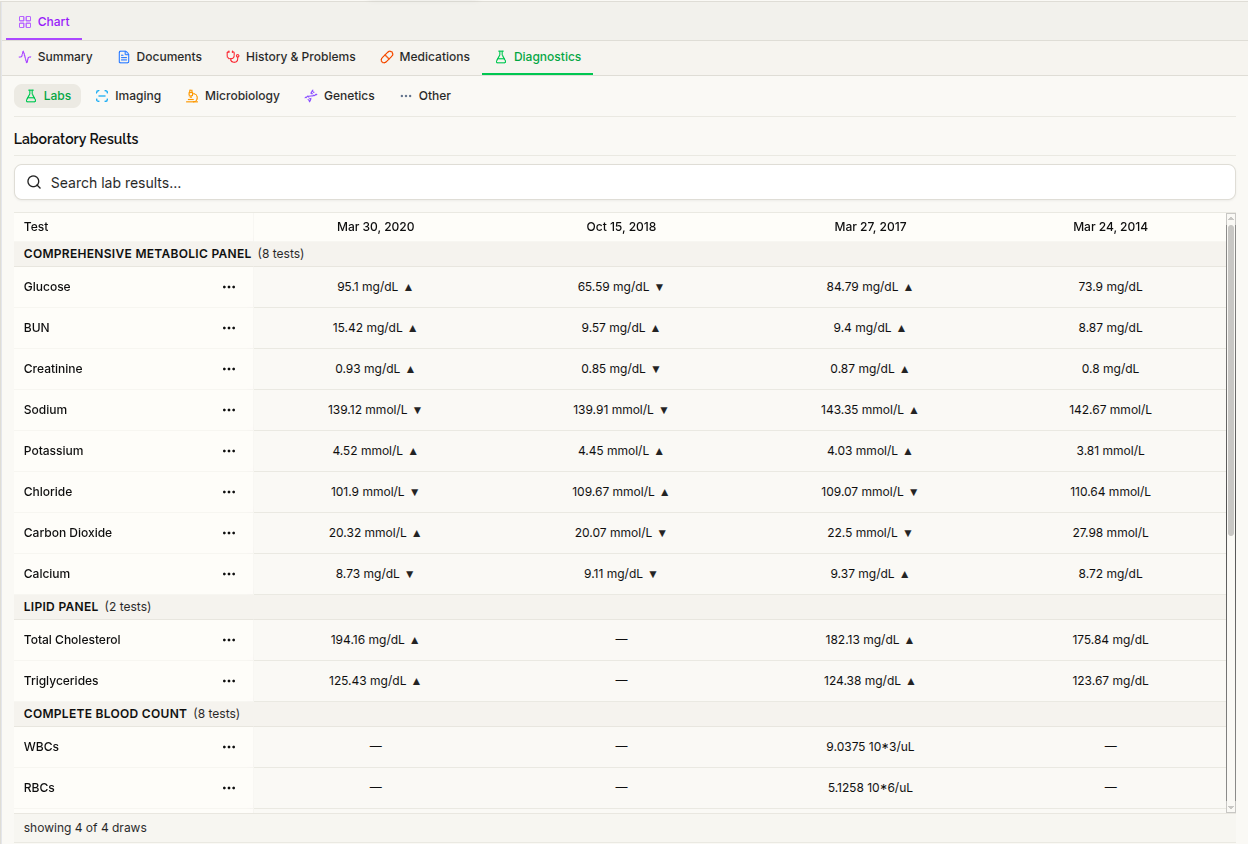
The Diagnostics area also gains dedicated views for Imaging, Genetics, and Microbiology. These organize imaging reports and study details, genetic findings, and cultures, organisms, and susceptibility panels when that information is available.
Clinics can also configure an external imaging archive connection using DICOMweb when that capability is enabled. An in-app diagnostic image viewer is not included in this release.
Reconcile chart findings in Manage Claims
The new Manage Claims tab brings together tools for reviewing chart findings, identifying duplicates, and managing terminology codes. In this context, “claims” means clinical information in the chart—not insurance claims.
Duplicate detection now uses shared terminology codes to better identify repeated entries. Proposed merges of existing findings go through clinician review, and superseded entries are retained rather than deleted.
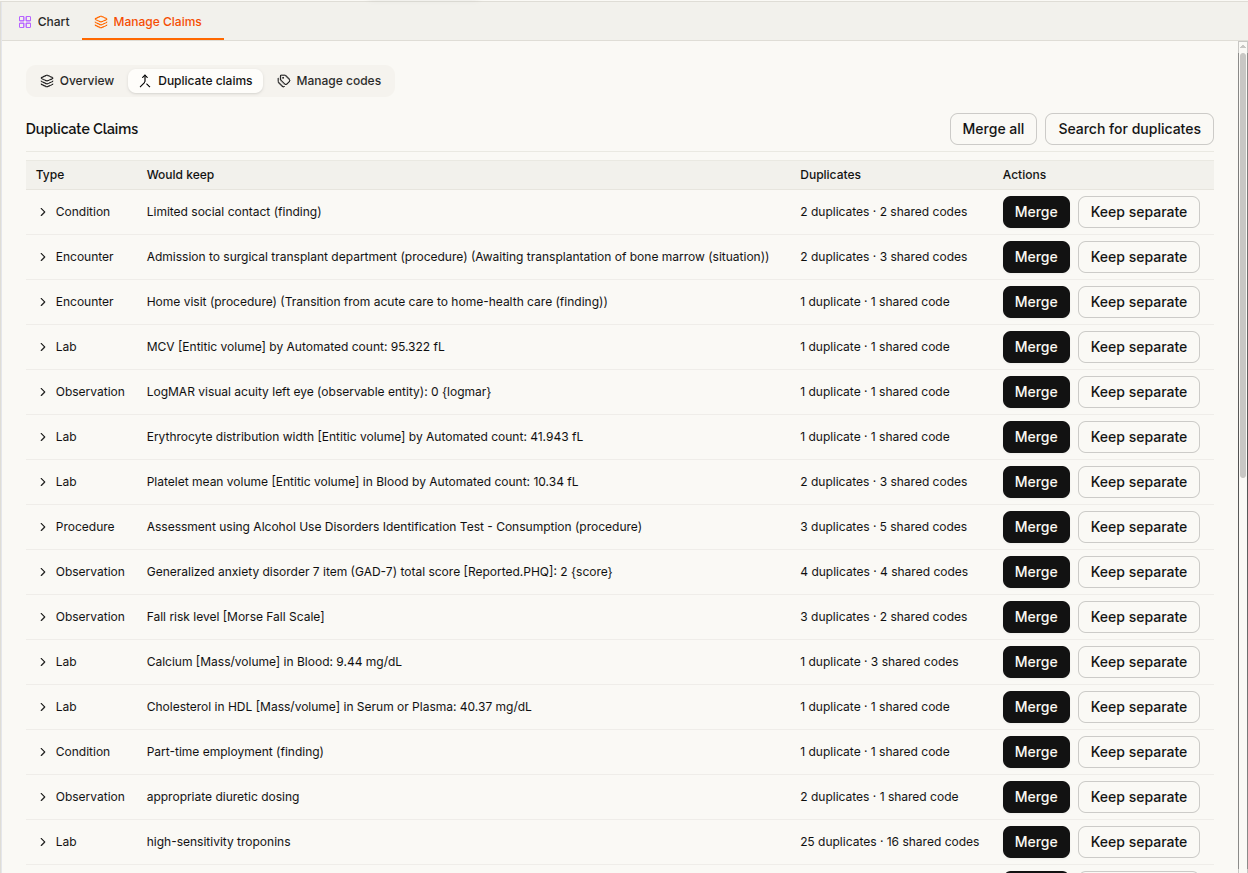
Bulk coding jobs show progress and can be canceled. Clinic-wide duplicate review has its own additional permission, separate from managing findings within an individual patient’s chart.
You can also correct a finding’s category or onset date. Category changes include warnings when they could affect associated details or code mappings.
Record verification separately from clinical status
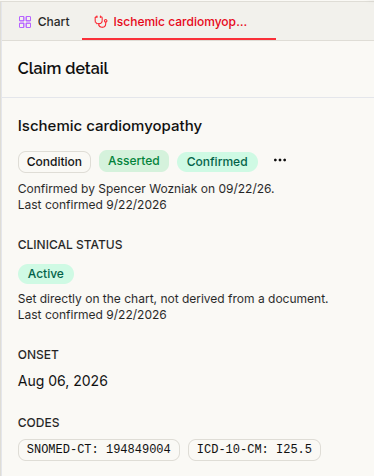
Chart findings now have a distinct verification status, with actions to Confirm, Refute, or Mark entered in error.
This is separate from clinical status: whether a condition is active or resolved is different from whether the recorded finding has been confirmed or refuted. Missing verification information is also not automatically treated as an explicit Unconfirmed status.
Individual supporting entries can be retracted while preserving their history, and retractions can be undone.
The assistant now reads verification information when working with the chart. Multiple assistant-proposed clinical-status changes can also be presented together for review and group approval, rather than requiring a separate interaction for each change.
Distinguish chart updates from a documented review
Chart section headers now show both Last updated and Last Reviewed.
Last updated reflects activity affecting the section’s clinical information. Last Reviewed records a provider’s explicit attestation that they reviewed the section.
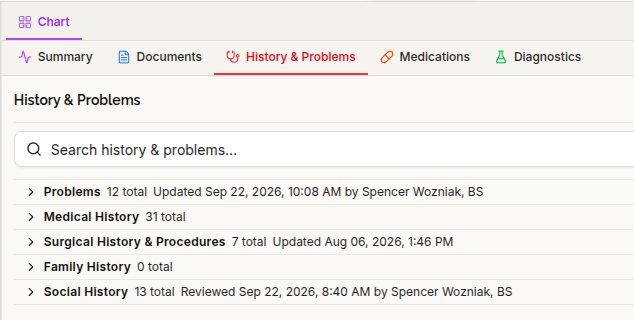
A documented review is separate from confirming individual findings. It remains a record of when that review occurred—not an assertion that nothing has changed since.
Block calendar time and schedule multiple providers
The calendar now supports one-time and recurring blocked-off time. You can also assign one or more providers when creating or editing an appointment.
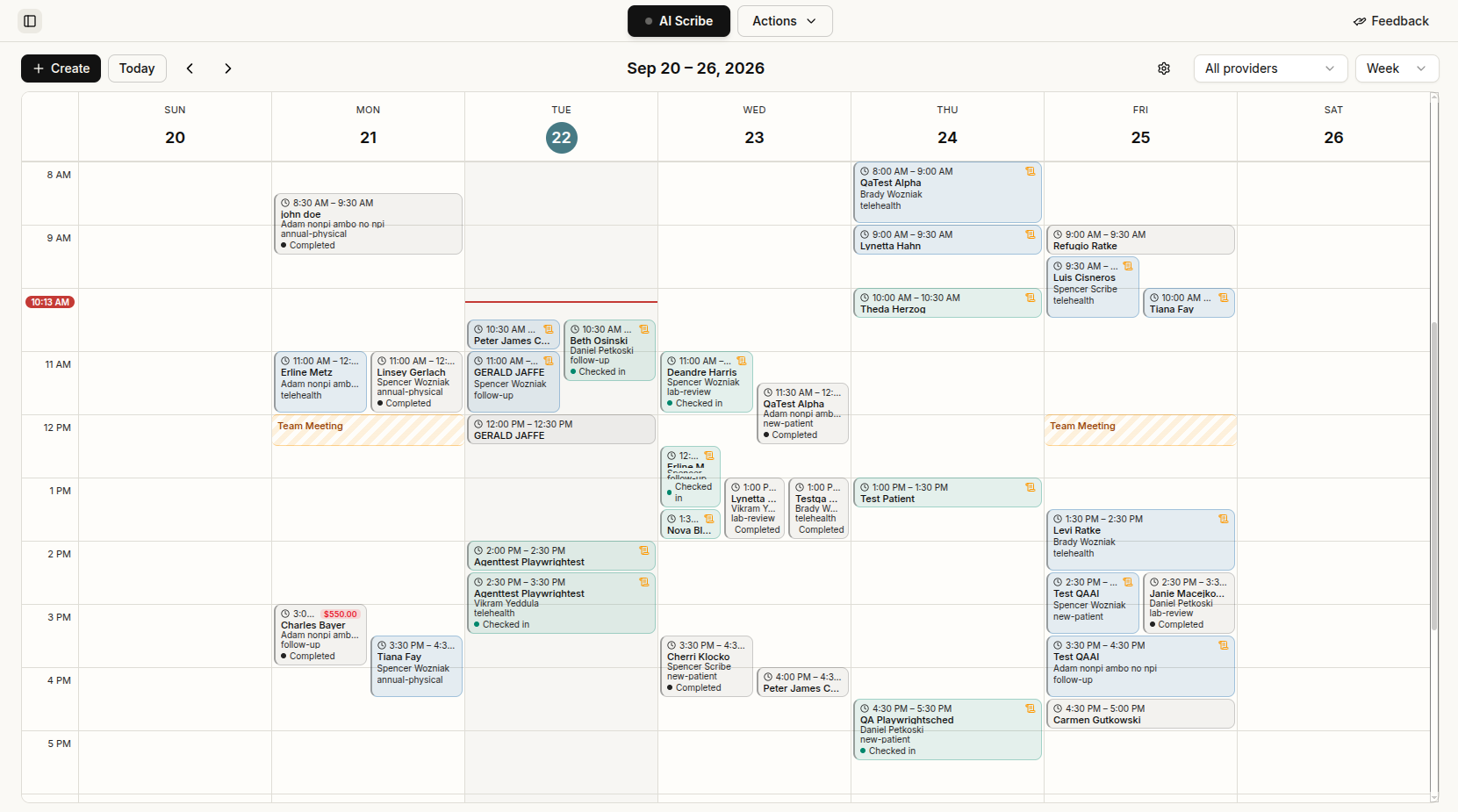
Overnight appointments display across the calendar days they occupy. A tabbed calendar settings dialog brings settings, including appointment types, together, and the calendar includes a new day-header view toggle.
Patient check-in is also available from the chart’s More Actions menu. The platform now enforces one open encounter per patient within each clinic, and encounter actions follow dedicated staff permissions. The assistant can read encounter status when helping with visit workflows.
Work through unsigned notes and co-signature requests
A new Sign Notes worklist under Clinical brings draft notes together across patients. It also includes a clinic co-signature queue, and the sidebar tooltip shows the unsigned-note count.
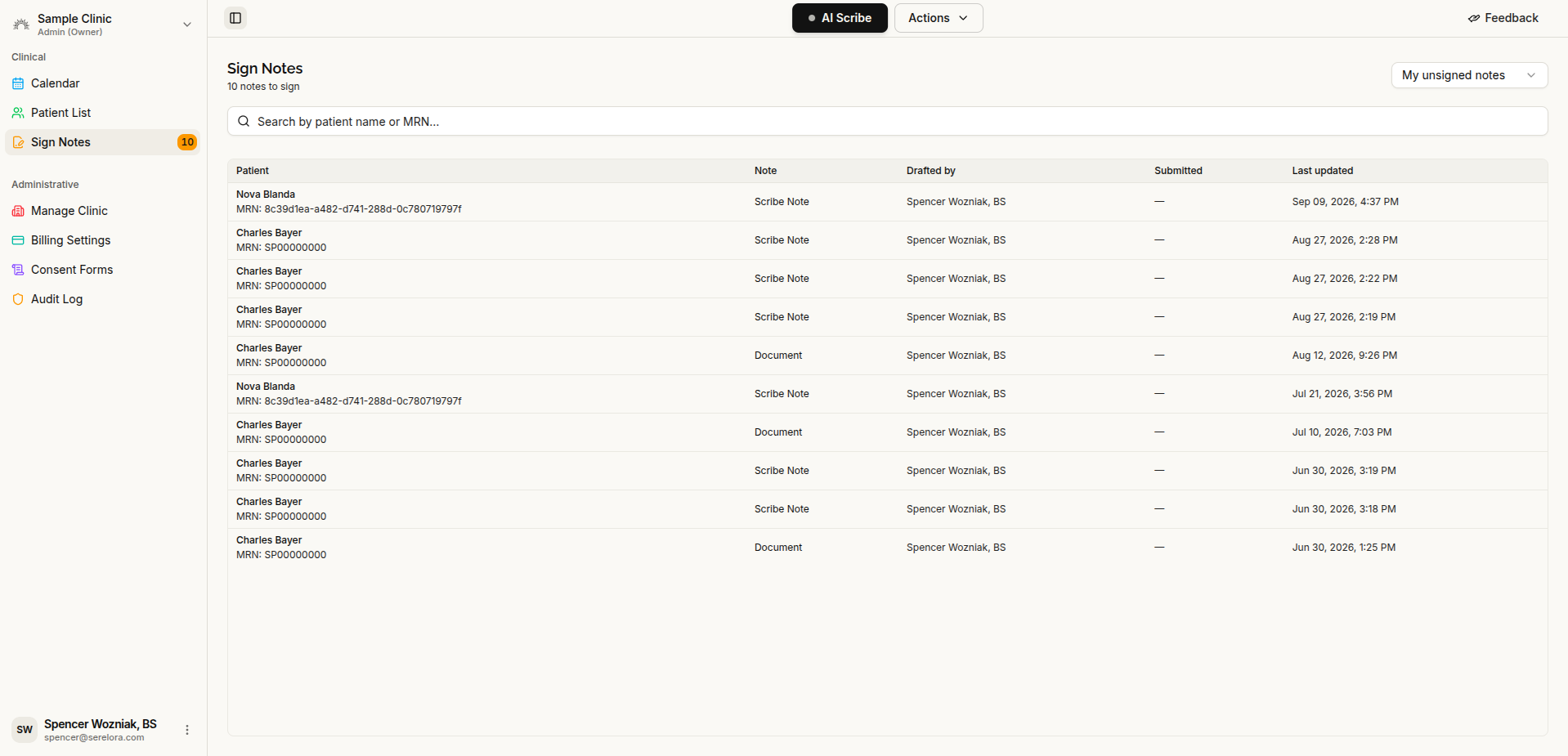
For physician assistants and medical assistants using the review workflow, Submit for Review sends a draft to the co-signature queue. An authorized reviewer can Co-sign or Return to Drafter.
The signed document identifies who prepared the note and who electronically signed it, keeping those contributions distinct.
Web scribe recording now also requires the AI transcription acknowledgment before audio recording starts, and recording-exit safeguards have been strengthened in the provider app.
Download consistently formatted PDFs
Exported PDFs now share a standardized layout, with consistent typography, a centered Serelora header on each page, a boxed patient-information panel, role-labeled authorship, and labeled update times.
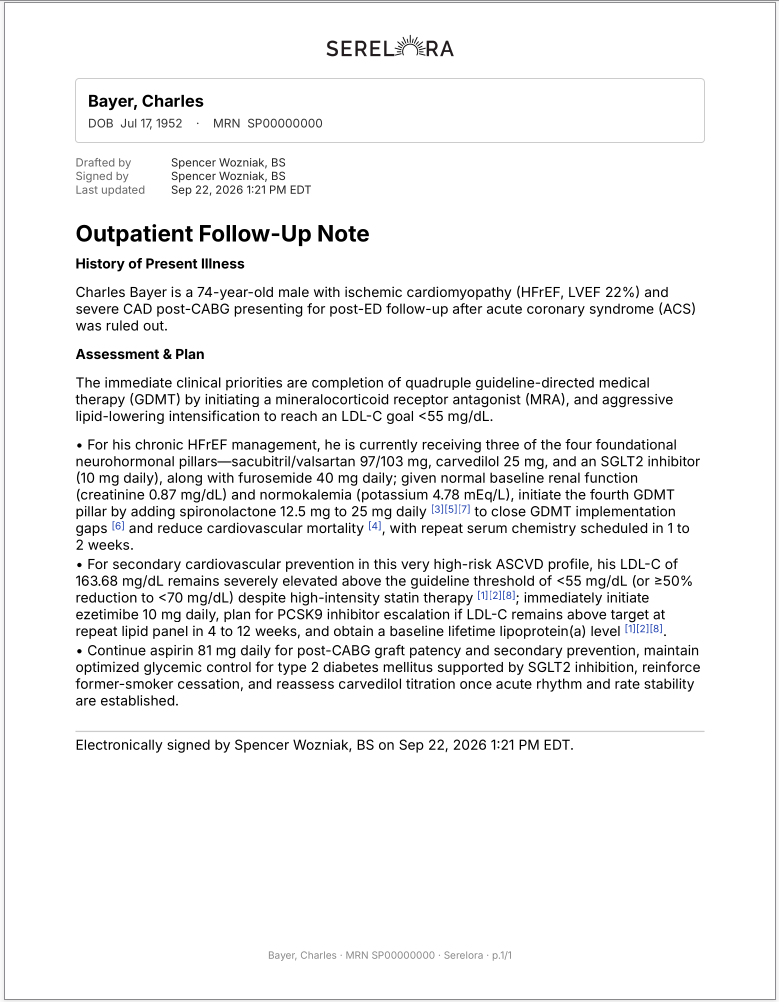
The export action is now Download PDF, replacing the browser-print workflow.
Review extracted findings on the original scan
Extracted text can now be highlighted directly over the original scanned PDF or image, helping you locate a finding in its source document.
When a finding cannot be matched to a position on the page, that limitation is disclosed rather than silently hiding the unmatched text.
Document extraction is now configurable per clinic, with separate settings for uploaded documents and signed clinical content. Automatic terminology coding has its own setting, so extraction and coding do not have to be enabled together.
Manage billing adjustments, refunds, and invoice due dates
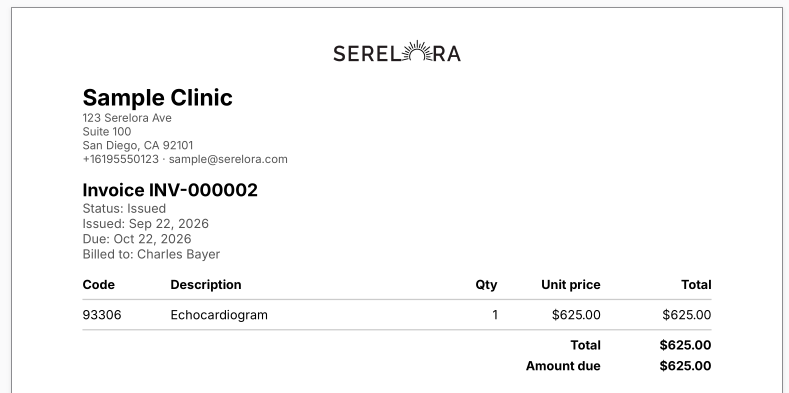
Billing now supports recording adjustments, write-offs, and refunds. Reversing an adjustment preserves the original entry rather than deleting its history.
New invoices receive due dates based on the clinic’s payment terms. Existing invoices are not automatically assigned new due dates.
The former Procedures navigation item is now Billing Settings, where you can access both the procedure catalog and billing configuration.
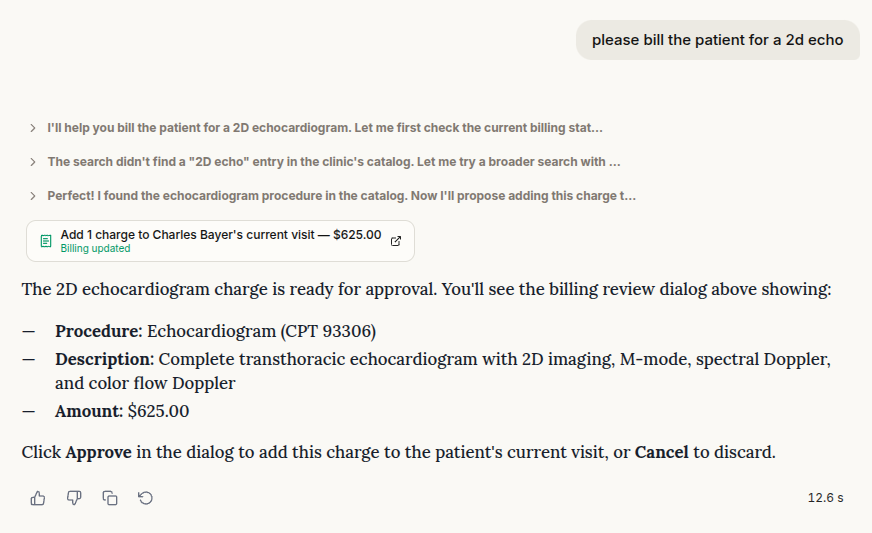
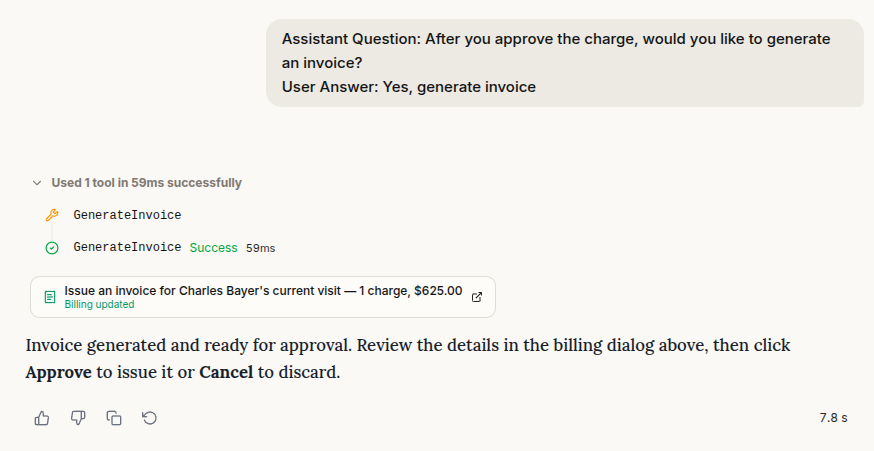
The assistant can also help with billing directly in chat. It can retrieve a billing summary, search the procedure catalog, and propose actions to add charges, generate an invoice, record a manual payment, or send a payment link. Changes require your approval and the appropriate billing permissions.
Switch clinics and tailor staff access
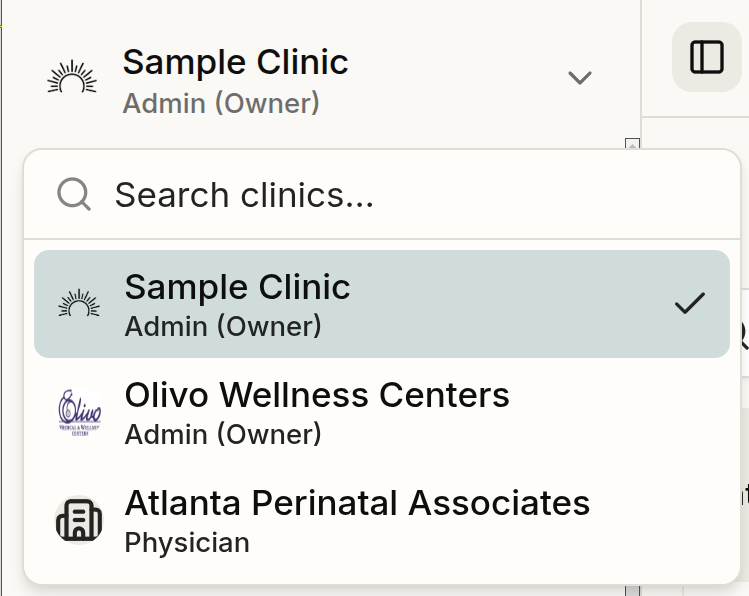
Staff with access to multiple clinics now have a searchable clinic switcher in the sidebar. Switching clinics reloads the workspace using the selected clinic’s context and permissions.
Clinics can use custom staff roles and individual permission overrides.
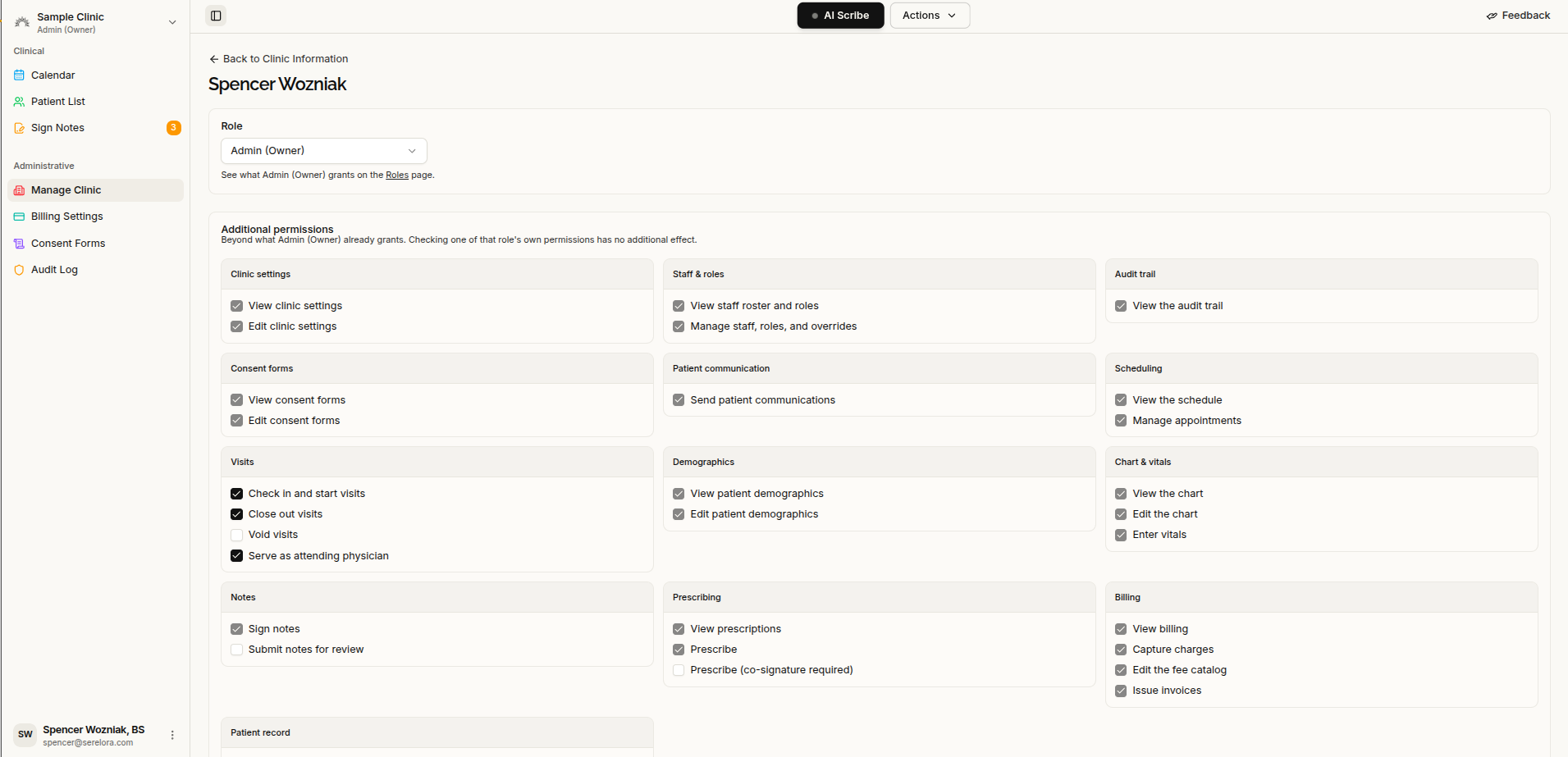
Role management is now part of the clinic staff table, which also shows each staff member’s last sign-in.
Clinic Information has been renamed Manage Clinic, and authorized clinic administrators can edit clinic information there.
Optional capabilities are now configured separately for each clinic. Enabling a feature does not grant permission to use it—staff still need the corresponding access rights.
New documentation, status, and release resources
A new public documentation site and customer changelog provide places to find product guidance and release information. The changelog also includes an Atom feed for subscribing to updates.
The public status page reports status by product capability, with incident updates and a history of recorded checks.
Images in documentation, changelog entries, and blog posts can now be expanded for a closer view.
Improvements to everyday workflows
- Find patients by phone or email: Patient-list search now supports phone numbers and email addresses, including the last four digits of a phone number.
- Keep your place: Chart filters are retained separately for each tab, returning from the record editor leads back to the chart, and patient-list scroll restoration has been improved.
- Vitals: Temperature fields now default to Fahrenheit, and manually entered vitals no longer appear in the problem list.
- Loading and navigation: Patient-list, chat-history, and mobile-roster loading have been streamlined. Menus are more accessible by touch and keyboard focus, and chat input sizing adapts when the workspace width changes.
- Clearer scheduling errors: Appointment creation, editing, and drag-and-drop now show readable error messages rather than raw technical output.
This release also strengthens protections around account access, clinic-specific data access, sensitive-data handling, and the integrity of audit history.