Search documentation
Find a documentation page by the words on it.
Documentation
Chart Agent Overview
The chart agent is the assistant that sits beside every patient's chart. It reads that patient's record, answers with links back to the source, and prepares work for you to review: a note, an email, a chart change, a filled form. It works on the chart that is open and no other.
Where to find it
Select a patient in Patient List. The chart opens with the Agent tab on the left and the Chart tab on the right. You can drag a tab to the other side if you prefer the chat on the right.
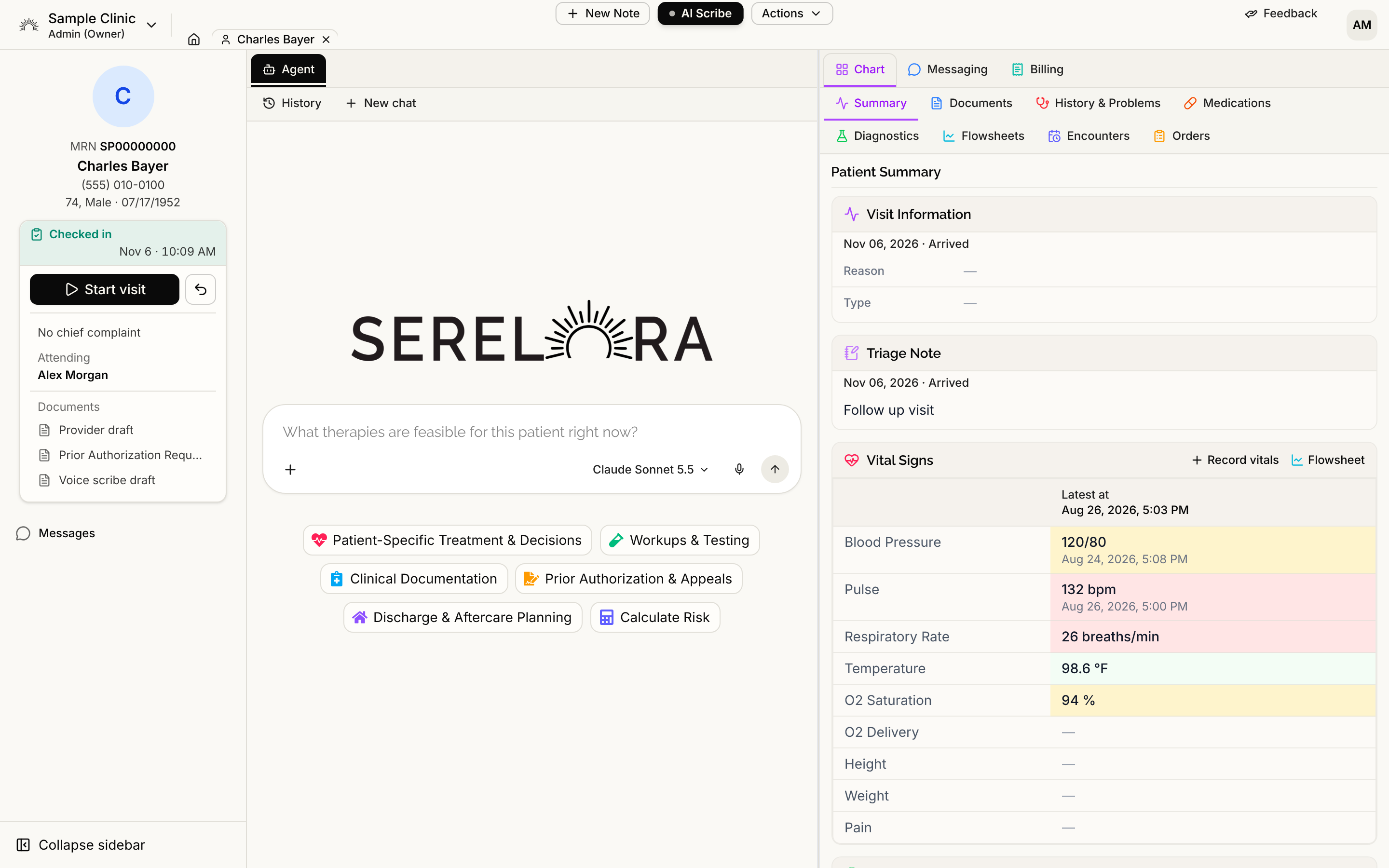
Under the Agent tab, History lists your earlier chats with this patient and New chat starts a fresh one. In an empty chat, suggestion chips sit under the input box. Select a chip, then a prompt, to fill the box. Nothing is sent until you send it.
What you can ask it to do
| You want to | What the agent does | Read more |
|---|---|---|
| Understand the chart | Searches the record and answers with links to the claims and documents it used | Asking Questions About a Patient's Chart |
| Check the evidence | Answers questions such as "what therapy options fit here" from the medical literature, with numbered citations | Literature Answers and Citations |
| Estimate risk | Runs the Charlson Comorbidity Index, the one calculator available today | Risk Calculators |
| Draw a chart | Plots a trend, compares two measures or lays out a timeline | Charts from the Chart Agent |
| Draft a document | Writes a visit note, referral letter or prior authorization letter, or an addendum to a signed note, for you to review and sign | Writing Notes with the Chart Agent |
| Add or correct chart entries | Proposes new entries and edits in one review | Reviewing Chart Changes the Agent Proposes |
| Tidy duplicates | Finds duplicate claims and groups them for you to merge | Cleaning Up Duplicate Claims with the Agent |
| Contact the patient | Prepares an email, a text or a secure message | Messaging a Patient from Chat |
| Complete a PDF form | Fills it from the chart as a draft you review | Filling and Signing PDF Forms |
| Produce a report | Builds a branded PDF you can download | Reports Overview |
| Handle several tasks at once | Lays out a plan for you to approve first | Plans the Agent Proposes |
It can also prepare appointment changes, corrections to the patient's stored details, orders, and charges and invoices, each as a card you approve. See Scheduling with the Chart Agent, Correcting Patient Details with the Agent, Ordering with the Chart Agent and Billing with the Chart Agent. The agent cannot start, close or void a visit. Do that from the chart.
What it does not do on its own
The agent prepares; you decide. A message, a chart change or a patient record edit appears as a card that you approve or cancel. See Approval Cards. If the chart does not hold an answer, the agent says so or asks you a question instead of guessing.
Who can use what
Anyone who can read a chart can use the chart agent, which is all six roles by default. What it offers depends on the permissions of the person asking, so a tool you are not allowed to use is simply not offered. By default:
| The agent can prepare | Roles that can use it |
|---|---|
| Chart entries and chart edits | Admin, Physician, Physician Assistant, Medical Assistant |
| Duplicate-claim groups | Admin, Physician, Physician Assistant, Medical Assistant |
| Emails and texts to the patient | All six roles |
| Secure messages to the patient | Admin, Physician, Physician Assistant |
| Signing a filled form | Admin, Physician |
A clinic admin can change these in Roles and Permissions, so your clinic may differ.
Your chats and models
Each chat is saved under the patient and can be reopened from History. The input bar has a model selector, and the model you pick applies to the message you send next, so you can switch partway through a conversation.