Search documentation
Find a documentation page by the words on it.
Documentation
Coverage on a Billing Record
The Billing tab keeps a record for each coverage a patient has. It shows the plan and subscriber details exactly as they are on file, and lets you correct them without leaving billing.
This feature is controlled by the Billing feature flag. If you do not see it in your clinic, contact Serelora at support@serelora.com and ask for it to be turned on.
This page covers the coverage on file. Insurance billing features that build on it, such as eligibility checks and claims, are not covered in this section yet. To add or remove a coverage, see Insurance Coverage. To record that a patient paid in full and asked that a visit not be shared with their health plan, see Do-Not-Bill-Insurance Requests.
Step 1: Open the coverage record
Open the patient's chart and select Billing. On Summary, select a row on the Coverage card. You can also open Records, choose the Coverage chip and select a row. The record opens in its own tab, for example "Coverage · Primary".
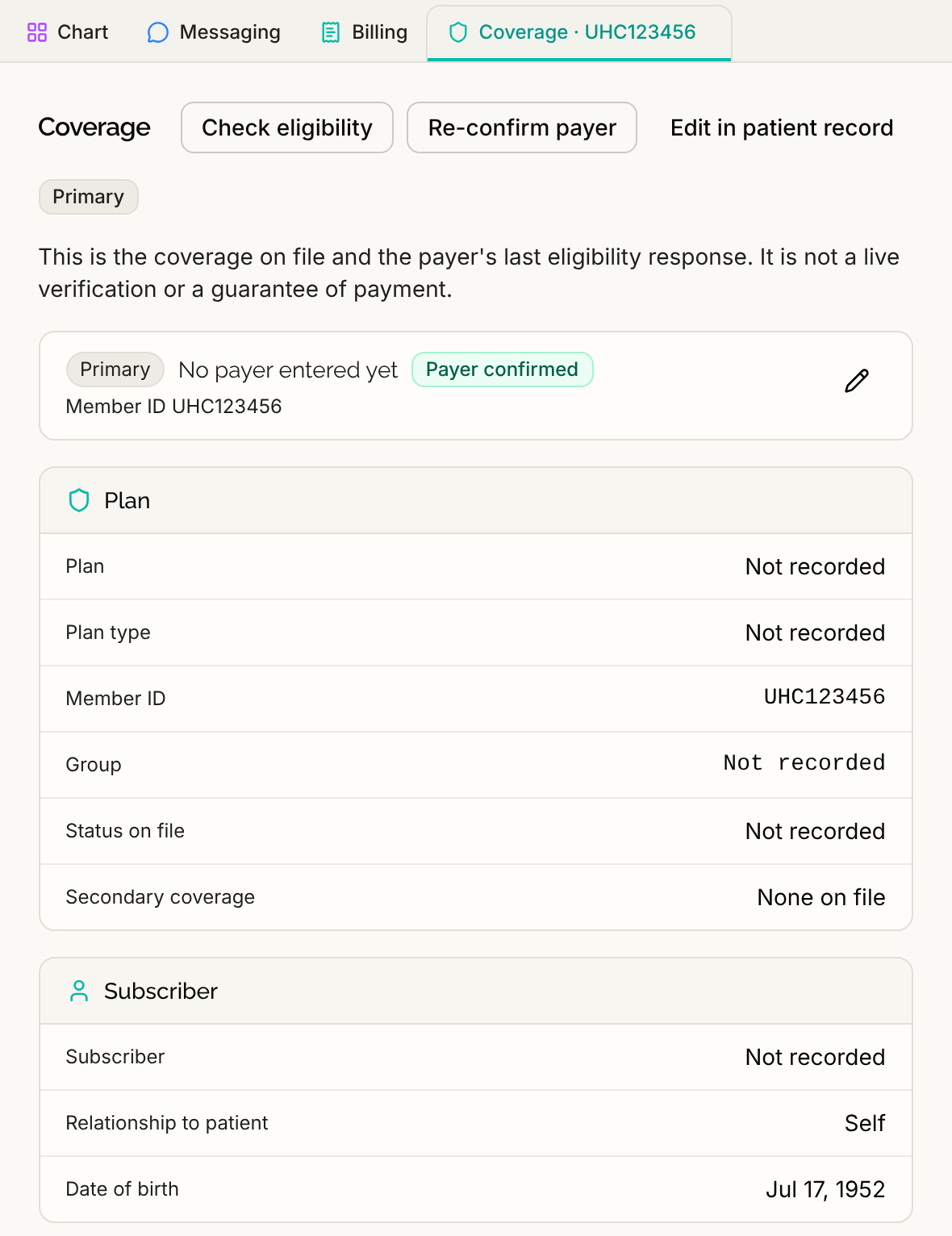
If the patient has no coverage at that rank, the record says so, and still lists any coverage mentioned elsewhere in the chart.
Step 2: Read what is on file
The record shows the coverage in cards:
- Plan: the Plan, Plan type, Member ID, Group and Status on file.
- Subscriber: who the coverage belongs to, the Relationship to patient and the Date of birth.
- Coverage mentioned in the chart: coverage details found elsewhere in the patient's chart.
A field with nothing on file reads "Not recorded".
Step 3: Edit the coverage
Select the pencil on the coverage card, labeled Edit primary coverage (or secondary or tertiary). The card opens with the fields you can change, such as Payer, Member ID, Group number, Plan name and Patient's relationship to subscriber. Make your changes, then select Save. A message says "Coverage saved." Select Cancel to drop your changes.
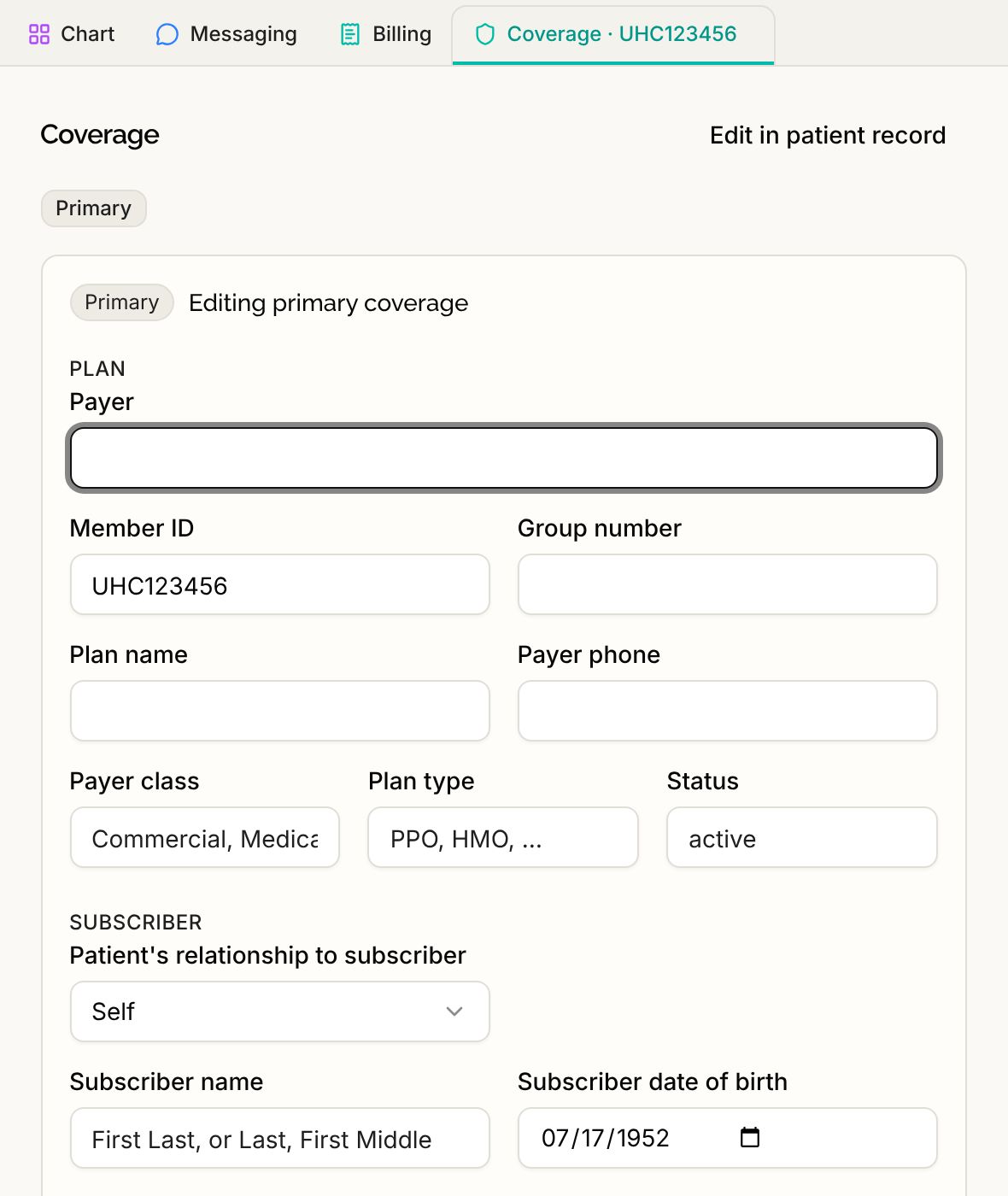
You can also select Edit in patient record to open the Insurance & Guarantor section of the Patient record tab, which holds all of the patient's coverages.
If someone else changed the coverage while you were editing, Serelora refuses your save instead of overwriting their change. Reopen the record to see the latest version.
Who can do this
Everyone who can read billing can see the coverage record. Editing needs the permission to edit patient demographics, which all six standard roles hold. Someone without it sees the coverage as a summary, without the pencil.