Search documentation
Find a documentation page by the words on it.
Documentation
Telehealth Appointments
Serelora lets you schedule a visit as telehealth, so everyone can see it is not in person. It records and shows the visit's Modality. It does not host the video call. Read the last section before you promise patients more than that.
Step 1: Set the modality
- On the Calendar, select the appointment, then select its details line, which reads Add details until something is filled in.
- On the Edit appointment page, open Modality and choose Telehealth. The other choices are In person and a dash for not set.
- Select Save changes.
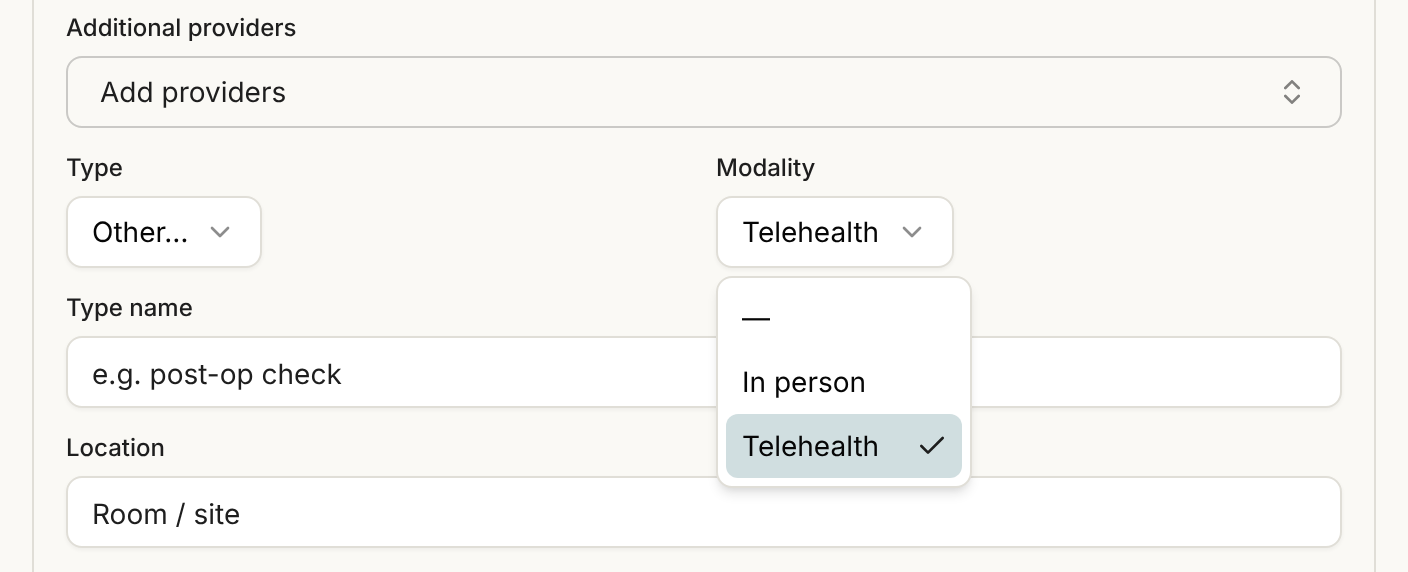
You can set it for a new visit the same way after you create it. See Booking an Appointment.
Step 2: Add a telehealth appointment type if you want one
Type and Modality are separate fields. If your clinic wants telehealth visits to look different on the Calendar, an Admin can add an appointment type such as Telehealth with its own color and shape. See Appointment Types. Choosing that type does not set Modality for you. Set both.
What the patient sees
- On the patient portal Appointments page, the card shows Modality as Telehealth. See Your Appointments.
- In the day-before reminder, where an in-person visit shows its location, a telehealth visit says "This is a telehealth visit." See Appointment Reminders.
- When a patient books with the AI Advocate and says the visit should be telehealth, the card shows Modality as Telehealth.
The chart agent can also set the modality when it books or changes an appointment for you. See Scheduling with the Chart Agent.
Consent
The default consent forms include Telehealth Consent. Patients can accept or decline it in the portal, and you can record a decision made on paper or by phone. See Recording Patient Consent. Serelora does not stop a telehealth visit if the form is not signed. A declined form shows as an alert for staff. See Consent Alerts for Staff.
What Serelora does not do
- It does not start, host or schedule a video call, and it has no field for a meeting link. Use whatever video tool your clinic already uses, and tell the patient how to join.
- It does not change how a visit is checked in or finished. A telehealth visit is checked in, started and finished like any other. See Visits and Encounters Overview.