Search documentation
Find a documentation page by the words on it.
Documentation
Consent Forms
Patients read and sign your clinic's consent forms in the patient portal, during onboarding and at pre-visit check-in. You decide which forms they see, in what order, and what each one says. Every clinic starts with a default set, and you can replace it with your own PDFs.
Admins and Office Managers can see the forms. Only people whose role can edit consent forms, which is the Admin role, can change them.
The default set
Every new clinic starts with seven consent forms, so patients always have real documents to review:
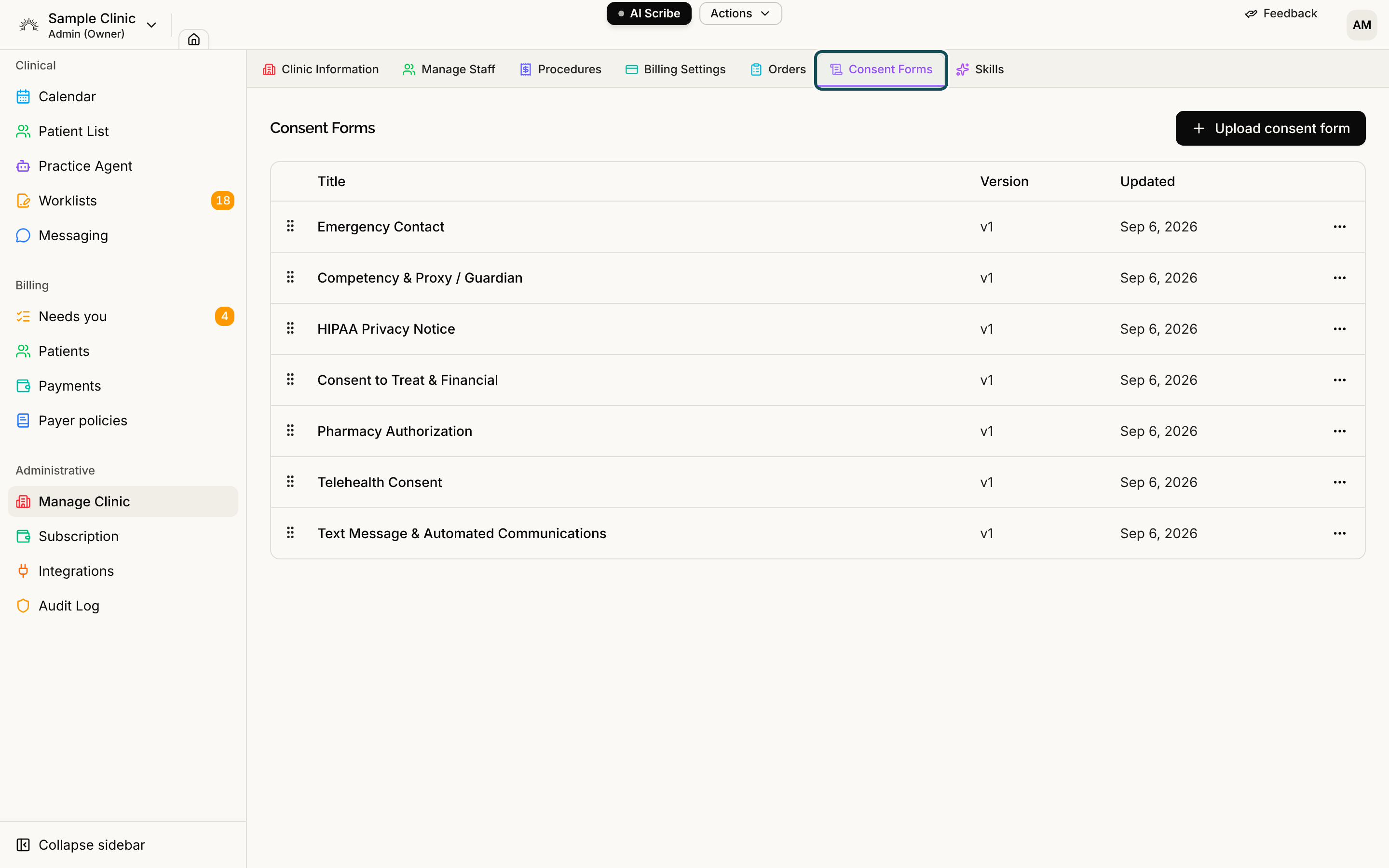
- Emergency Contact
- Competency & Proxy / Guardian
- HIPAA Privacy Notice
- Consent to Treat & Financial
- Pharmacy Authorization
- Telehealth Consent
- Text Message & Automated Communications
They behave like any other form. You can rename, reorder, replace or remove them.
Step 1: Open Consent Forms
Select Manage Clinic in the sidebar, then the Consent Forms tab. The list shows each form's Title, Version and when it was Updated.
Step 2: Upload a form
- Select Upload consent form.
- In Title, type the name patients will see, for example HIPAA Privacy Notice.
- Drop a PDF on the drop area, or select it to browse. Serelora accepts one PDF, up to 20 MB.
- Select Upload.
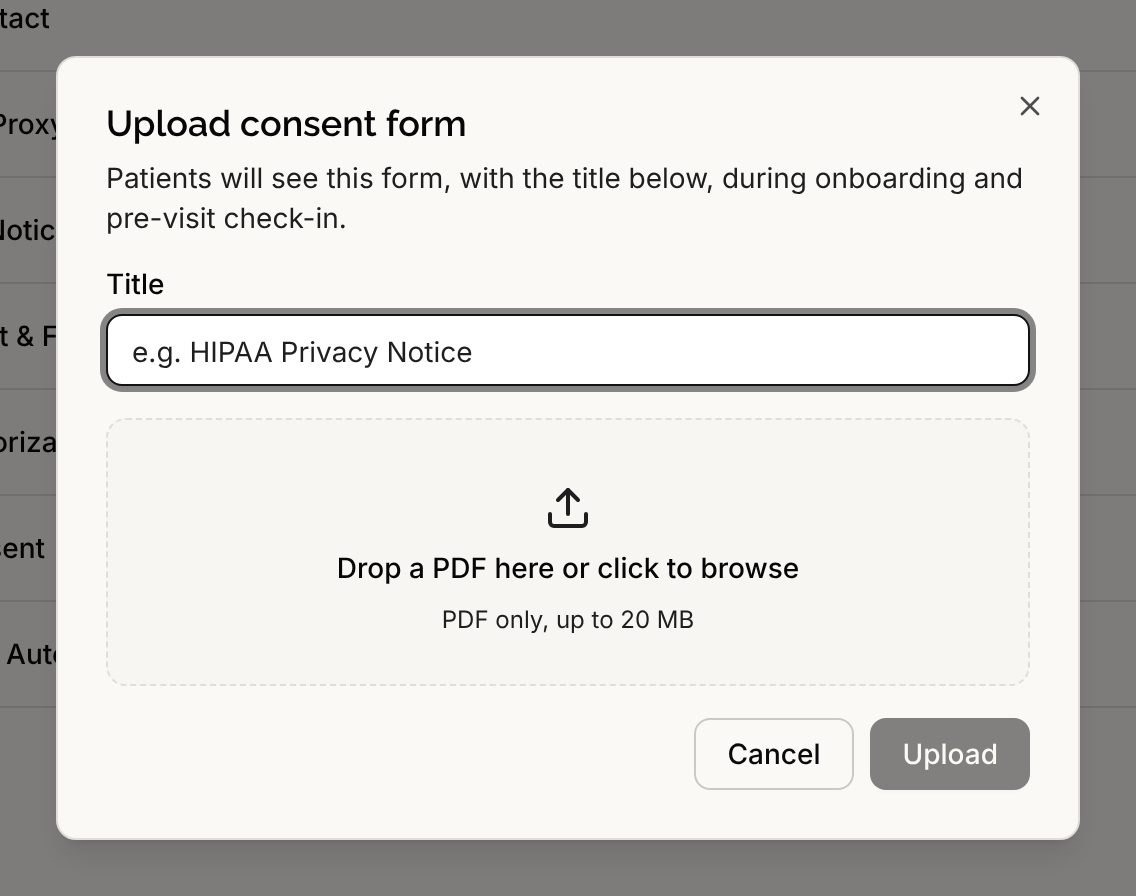
Patients see the form with this title during onboarding and pre-visit check-in.
Step 3: Manage each form
Select the actions button on a form's row.
- View / Print opens the form in a new tab. Every role that can see the list has it.
- Rename changes the title patients see.
- Replace file uploads a new PDF as the next version, for example v2. Patients must sign the new version before their next visit. Signatures already given stay on record against the version the patient signed.
- Remove takes the form off the list. Patients no longer see or sign it, and existing signatures are kept. Serelora warns This can't be undone. If you upload the form again later, it becomes a separate new document with its own signature history.
To change the order patients see the forms in, drag a form by its handle.
Recording a decision made on paper
If a patient signed a paper copy or agreed verbally, staff can record the decision from the patient's chart. Every role can do this, so front desk staff can handle paper intake. A patient who declines a form is not blocked from registering, and the refusal is shown to staff. See Recording a Consent Decision.
If a file is missing
If a form's stored file is no longer available, opening it shows This consent form's file is no longer available. Please upload the form again. Select Replace file and upload it again.