Search documentation
Find a documentation page by the words on it.
Documentation
Dictation in Chat and Notes
Dictation turns your voice into text as you speak. Use it to talk a question into the chat, or to speak sentences straight into a note. It is different from the AI Scribe, which records a whole visit and writes a note for you. Dictation types what you say, and you stay in control of the words.
Your audio goes to Amazon Transcribe Medical, which turns it into text. Your browser asks for microphone permission the first time.
Dictate into the chat
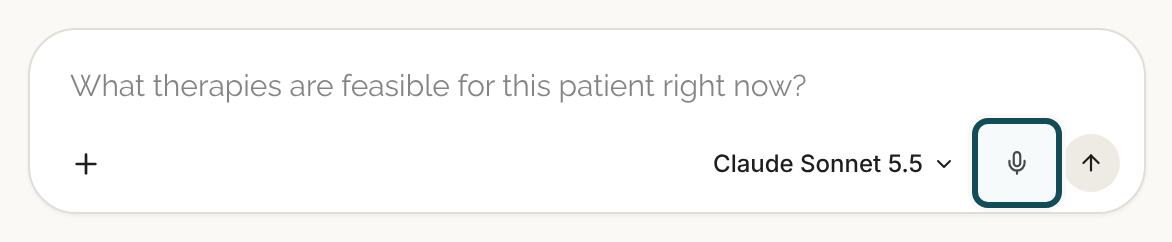
- Open a patient's chart and click in the chat box in the Agent tab.
- Select the microphone button next to Send. Its label is Dictate.
- Speak. Words appear in the box as you talk and settle as each sentence finishes.
- Select the microphone again (Stop dictation) to end, or press Send. Whatever is in the box when you send is what the agent gets. You can edit the text at any point.
Dictate into a note
- Open a note and put your cursor where the words should go.
- Select Dictate at the right end of the toolbar.
- Speak. Words appear at your cursor. Text that is still being worked out shows in grey and then turns normal. If text is selected, the first words replace it.
- Select Stop dictation to end.
Each finished sentence is one step for undo. If you stop in the middle of a sentence, the words you said stay in the note.
You can click elsewhere on the page while dictating. The words keep landing at the cursor's last position in the note.
The End dictation prompt
Some actions would pull the note out from under you while you are still recording. Serelora stops and asks first, in a dialog titled End dictation?: "Dictation is still recording. This will end it." These actions trigger it:
- Switching to another workspace tab, or moving a tab.
- Save Draft, Sign or Delete.
- Applying a note template.
- Leaving the patient's chart.
Choose Keep dictating to cancel both the prompt and the action. Choose End dictation to stop and carry on. Selecting the microphone again ends dictation with no prompt.
Tips
- Say punctuation out loud: "period", "comma". Serelora adds no other voice commands, so words like "new paragraph" are typed as words.
- Dictation works in English (US) only.
- Only one microphone can be live in a browser tab. If you start dictating in the chat, a dictation in a note ends, and the words already typed stay.
- If dictation cannot start, hover over the microphone to see why.
Access
Dictating into a note needs access to that patient's chart, and you need to be able to edit the note. See Writing a Note for who can.