Search documentation
Find a documentation page by the words on it.
Documentation
Your Account Settings
Your personal settings are separate from your clinic's settings. They cover your own sign-in email, your name suffix, your NPI and your professional details.
Step 1: Open Settings
Select your avatar at the top right of the header, then Settings. The dialog has three tabs: Account, Professional and Working hours. Changes on Account and Professional are saved together with Save changes.
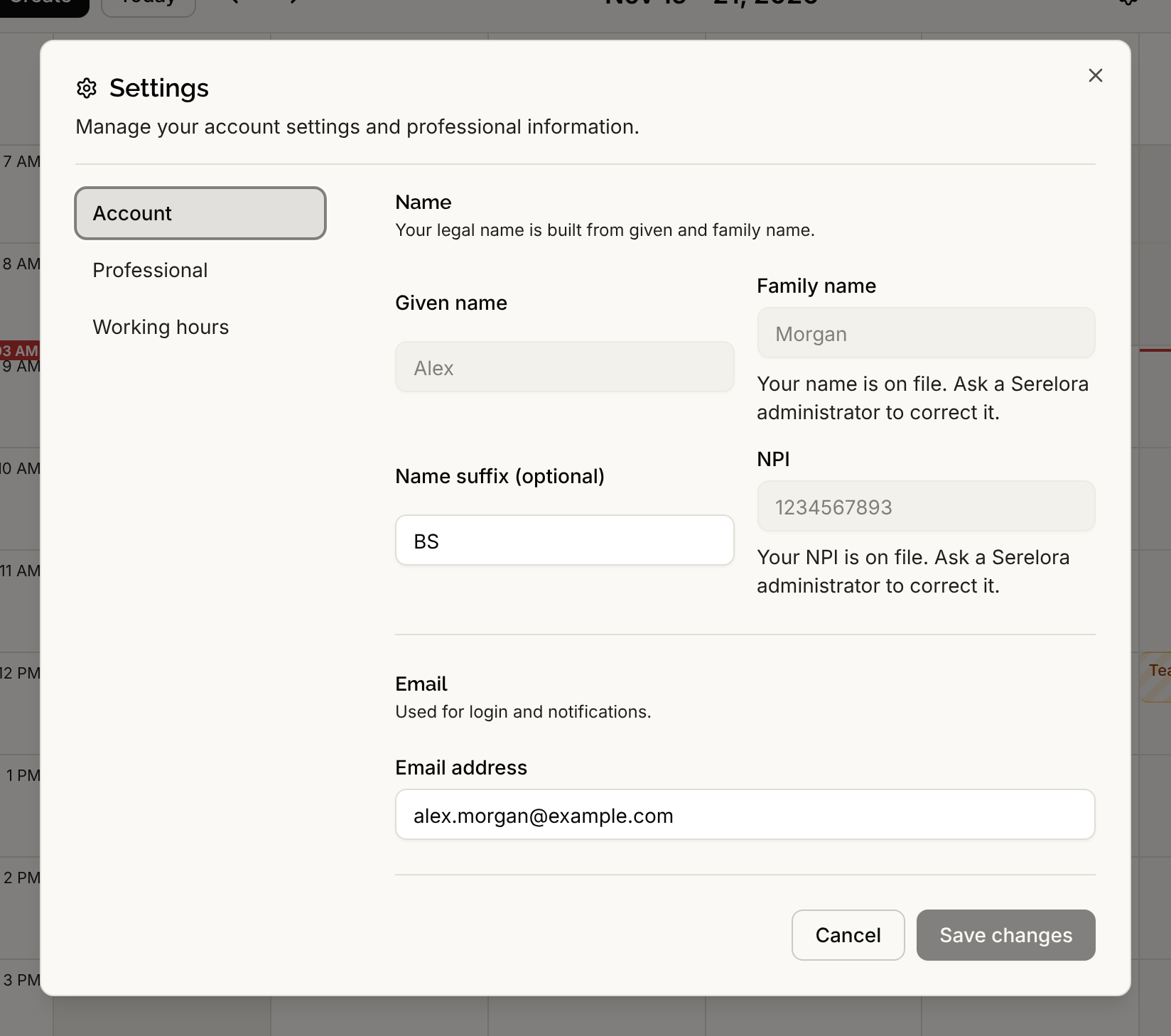
Step 2: Update your account
On the Account tab:
- Name. Given name and Family name are shown but locked. They read Your name is on file. Ask a Serelora administrator to correct it. Email support@serelora.com to correct one.
- Name suffix (optional). Type a suffix such as MD, RN or PhD.
- NPI. You can add an NPI if you do not have one on file. After it is saved you cannot change it here. See NPI Verification.
- Email address. See the next section.
Select Save changes.
Change your sign-in email
Serelora makes you prove you own a new address before it replaces the old one.
- Type the new address in Email address and select Save changes.
- Serelora keeps your current address for signing in, and a note under the field tells you to check the new address to confirm the change.
- Open the email sent to the new address and select the link. On the confirmation screen, select Confirm email change.
- Serelora shows Your sign-in email has changed. Sign in again with your new address. You are signed out of your existing sessions.
The old address also receives a notice that a change was requested. The confirmation link works for 24 hours. If it expires or never arrives, save the new address again to request a new link.
To protect your account, Serelora limits how many change requests you can send in an hour.
Update your professional information
On the Professional tab, update Role, Specialty, Department and Location, then select Save changes. These fields describe you in staff lists and elsewhere. They do not decide what you can do in Serelora. A clinic administrator controls that with an access role (see Roles and Permissions).
The tab also holds your DEA registrations, which save on their own. See DEA Registrations.
What you cannot change yourself
You cannot edit your own legal name or a saved NPI. To correct either, email support@serelora.com.