Search documentation
Find a documentation page by the words on it.
Documentation
Your Serelora Subscription and Seats
This page is about what your clinic pays Serelora. It is separate from how your clinic bills its own patients. The subscription is per clinic, with one seat for each active member.
Only people whose role can manage the clinic's subscription, which is the Admin role, see the Subscription page. Other staff see only reminders when something needs attention.
See your status
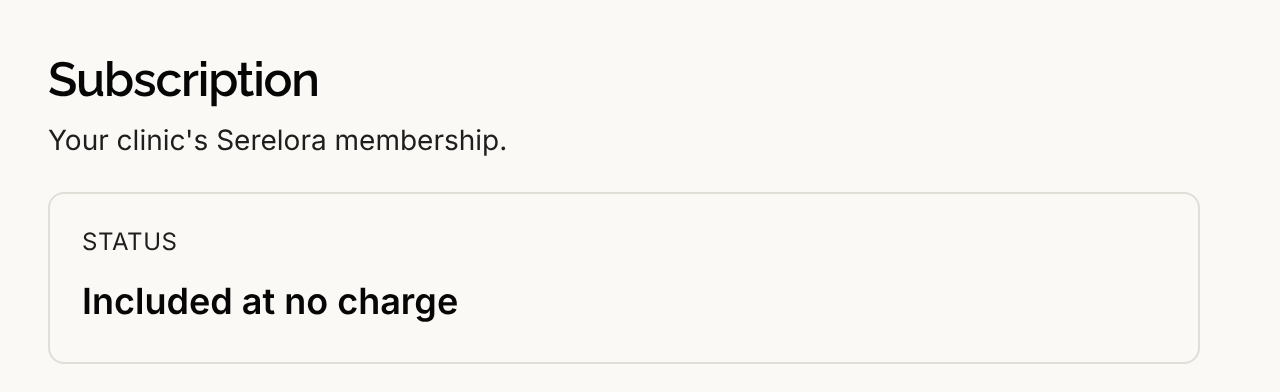
Select Subscription in the sidebar. The page shows a Status:
| Status | What it means |
|---|---|
| Free trial not started | Setup is finished but the trial has not started. It starts when you finish the guided tutorial's closing dialog. |
| Free trial | The trial is running. The page shows how many days are left and when it ends. |
| Active | The subscription is paid. |
| Payment past due | A payment did not go through. |
| Canceled | The subscription was canceled. |
| Expired | The free trial ended without a subscription. |
| Complimentary or Included at no charge | Serelora is providing your clinic's access. |
Depending on the status, the page also shows your plan, Next invoice or Prepaid through date, and a line for your seats. If the subscription is set to end, it shows Cancels on a date and Your next invoice will not be sent.
Subscribe
Select Subscribe. Serelora opens Stripe Checkout, where you enter payment details. When you return, the page shows Thanks, your payment went through. Your subscription will show as active in a moment. If you close Checkout first, it shows Checkout was canceled. Nothing was charged.
Subscribing during the free trial ends the trial and starts billing right away.
Manage billing
Once you are subscribed, select Manage billing to open Stripe's billing page for your clinic. If you schedule a cancellation there, the Subscription page shows the date it takes effect. If Serelora cannot open the page, you see We couldn't open billing management. Please try again.
If a reminder appears but the page has no Subscribe or Manage billing button, online billing is not available for your clinic yet. The page then tells you to email support@serelora.com for billing help.
How seats are counted
You pay for one seat for each active member of your clinic.
- A person counts from the moment you add them. An invited person counts before they set a password.
- Removing someone stops their seat from counting. See Removing Staff.
- Serelora staff do not take a seat. Platform administrators who help your clinic are not counted.
- A complimentary member is not counted. If Serelora has made someone complimentary at your clinic, they do not take a seat.
- Seats follow your staff list. Serelora updates the count when you add or remove staff. Adding someone through an invitation counts once they accept.
When online billing is available, the Subscription page shows a line with your current number of seats.
Reminders
While your clinic is on a free trial, administrators see a reminder that reads Your clinic's free trial ends in a number of days, with a Subscribe button. When the trial has expired, a payment is past due or the subscription was canceled, everyone sees a reminder, and administrators see Subscribe to keep using Serelora. Staff who cannot manage the subscription see Ask your clinic admin to subscribe.