Search documentation
Find a documentation page by the words on it.
Documentation
Audit Log Actions
Every row in the Audit Log carries an Action, the kind of thing that happened. The Action filter lists all of them, and the names are short and technical. This page says what each one means and which questions it helps you answer.
Open Audit Log in the sidebar, set Start date, choose an Action, and select Search.
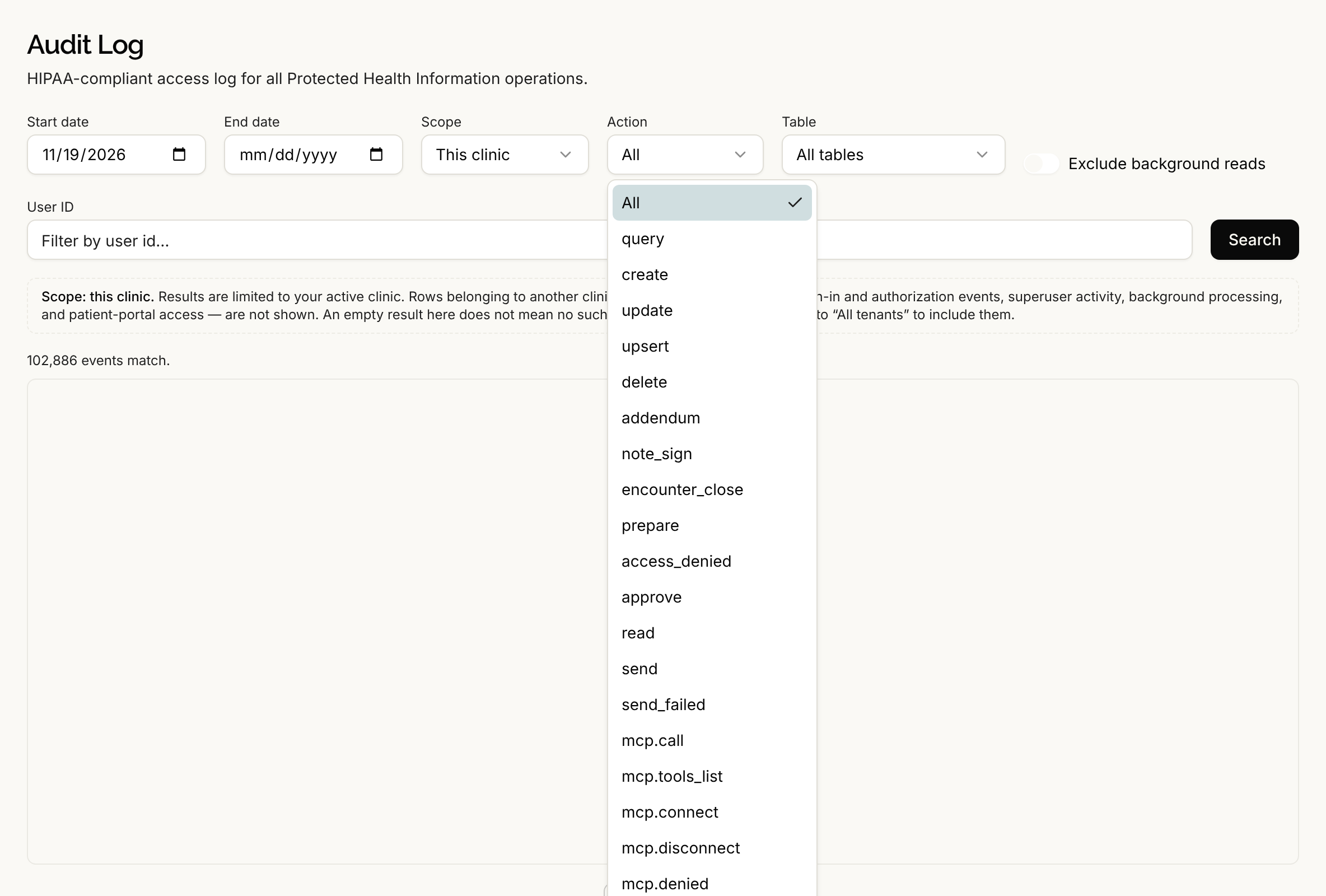
Records read or changed
These are written whenever someone, or the product on someone's behalf, touches a record.
| Action | What it means |
|---|---|
| query | A record was read or listed. This is the most common action. Opening a chart writes query rows. The automatic notification and badge checks that Serelora runs do too, which is why Exclude background reads exists. |
| create | A new record was added. |
| update | A record was changed. The row's Metadata panel can show what it was before. |
| upsert | A record was saved by creating it if it was not there and updating it if it was. Only counts are kept, not the values. |
| delete | A record was removed. |
Clinical events
| Action | What it means |
|---|---|
| note_sign | Someone signed a note. The row records whether signing also closed the visit, and if it did not, why. |
| addendum | An addendum was added to a signed note. |
| encounter_close | A visit was ended, either by signing a note or by finishing the visit. |
What the agents did
| Action | What it means |
|---|---|
| prepare | An agent proposed something that needs a person's approval, such as an appointment, a change to a patient record, a clinical status, a billing action or an email, and Serelora recorded the proposal before showing the approval card. It means a proposal, not that anything was done. |
| approve | A clinician approved a plan the chart agent wrote. |
| read | The chart agent read a note while working on it. |
| send | The chart agent's email or text was sent. An email's row lists the recipients and the subject. A text's row holds neither the message nor the number. |
| send_failed | An email or text the agent tried to send did not go. |
| access_denied | An attempt to reach a patient's chart through the agent was refused because the patient is outside the person's clinic. |
Connected tools (MCP)
When someone connects an outside tool server for the assistant to use, Serelora records each step. See MCP Connections.
| Action | What it means |
|---|---|
| mcp.connect | A tool server was connected. |
| mcp.oauth_start and mcp.oauth_complete | A person started and finished signing in to a tool server. |
| mcp.disclosure_ack | A person acknowledged the notice about sending data to a third-party tool server. |
| mcp.tools_list | The list of tools on a server was fetched. |
| mcp.call | An agent called a tool on a connected server. |
| mcp.denied | A tool call was refused, and nothing was sent to the server. |
| mcp.disconnect | A tool server was disconnected. |
Questions the log can answer
- Who signed this note, and did it close the visit? Choose note_sign and read the metadata.
- Who ended visits yesterday? Choose encounter_close.
- Did anyone try to reach a chart they should not? Choose access_denied.
- What did the agent propose, and what was sent? Compare prepare with send and send_failed.
- Which tools did an agent call? Choose mcp.call.
- Who changed or removed something? Choose update or delete, then choose a Table, such as Appointment, Invoice, Order or PatientConsentDecision. The Table list holds the technical names of record types, in alphabetical order.
- What did one person do? Enter their user ID in User ID.
What the log cannot tell you
- Rows for the agent's emails and texts record that a send happened. They do not hold the message text, and a text's row does not hold the phone number.
- The page has no filter for one patient, and entries that belong to no clinic, such as sign-ins, are not shown. See The Audit Log.
- An empty result does not prove nothing happened. It means nothing matched the filters in your clinic's scope.