Documentation
Pausing and Resuming Spruce
This feature is controlled by the Spruce messaging feature flag. If you do not see it in your clinic, contact Serelora at support@serelora.com and ask for it to be turned on.
Spruce is not available to clinics yet. You will only see this card at a clinic where Serelora has turned Spruce on. See Spruce Integration.
The clinic-wide pause is a hold button for everything Spruce does in your clinic. Use it when you need nothing to move, for example while you check a problem. It does not delete or change any setting.
What you need
- The Admin role. Other roles do not see the buttons.
- A connected Spruce account.
Step 1: Find the Clinic-wide pause card
On the Setup sub-tab of the Spruce tab, find the Clinic-wide pause card. When nothing is paused it reads "Spruce is not paused for this clinic."
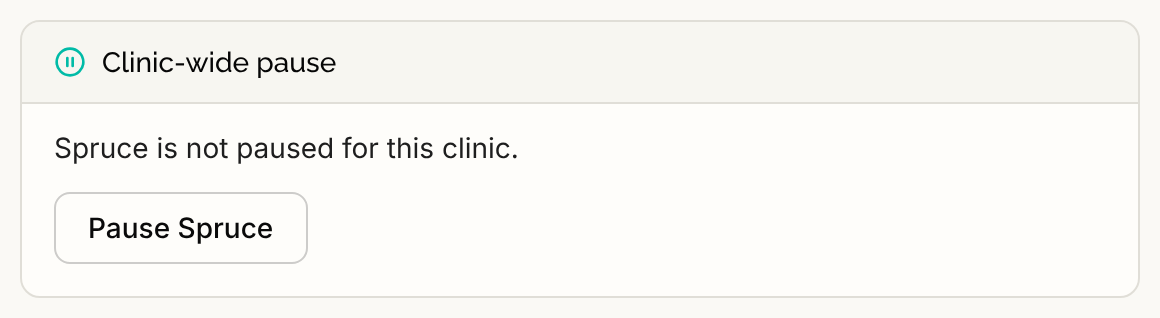
Step 2: Select Pause Spruce
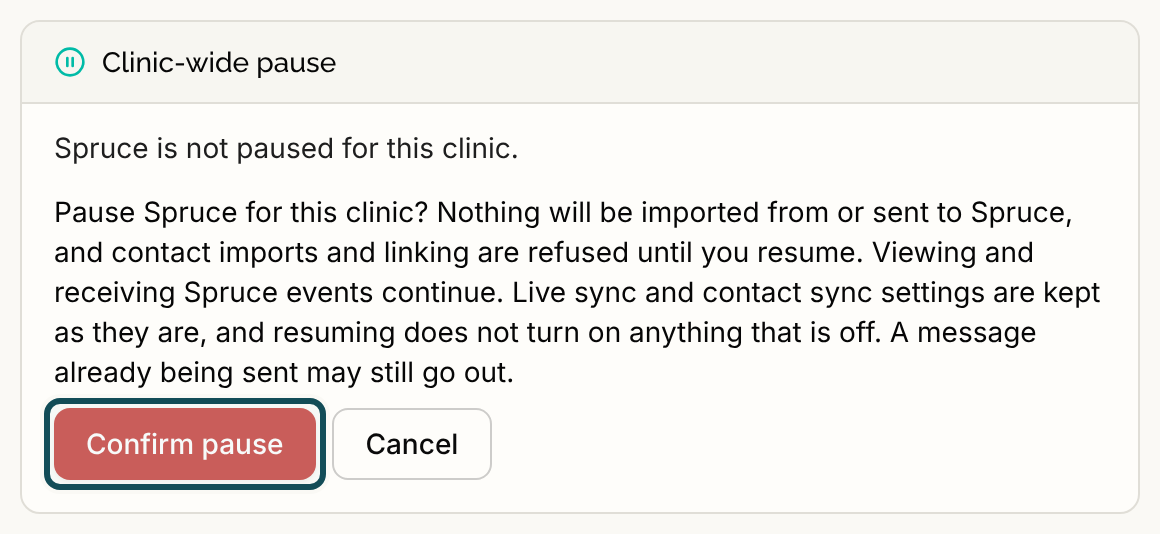
Select Pause Spruce. A confirmation says that nothing will be imported from or sent to Spruce, and that contact imports and linking are refused until you resume. It adds that viewing and receiving Spruce events continue, that live sync and contact sync settings are kept as they are, that resuming does not turn on anything that is off, and that a message already being sent may still go out.
Select Confirm pause, or Cancel. Nothing changes until you confirm.
Step 3: Check the card
The card is now titled Spruce is paused for this clinic and says "While paused, nothing is imported from or sent to Spruce, and contact imports and linking are refused. Viewing and receiving Spruce events continue." The other cards change to match. History sync says it cannot be started, live sync says it is held, and contact sync says it is held.
What stops and what keeps running
| While paused | What happens |
|---|---|
| Importing messages (history sync, live sync) | Stops. Nothing is imported. |
| Sending replies to Spruce | Stops. |
| Contact import and linking, and creating patients from Unmatched contacts | Refused. |
| Contact sync | Held. No contacts are processed. |
| Receiving events | Continues. Events wait to be processed. |
| Viewing, including held conversations | Continues. |
| Turning live sync or contact sync off | Still works. |
Resume Spruce
Select Resume Spruce. The confirmation says "Resume Spruce for this clinic? This only removes the clinic-wide pause. It does not turn on live sync or contact sync for anything that was off, and nothing starts until each is eligible again." Select Confirm resume.
The card then reads Spruce resumed and says "The clinic-wide pause is removed. Live sync and contact sync stay as they were set; nothing was turned on."
Pause is not turn off
- A pause holds everything for the clinic and keeps every setting. Resume Spruce puts it back.
- Turn off live sync for all conversations removes the permission for each conversation, and it takes more than one click to get back. See Spruce Live Sync.
If it does not work
- "Pausing Spruce could not be confirmed. Reload the connection before trying again." Select Reload connection to see whether it paused.
- "Resuming Spruce could not be confirmed. Reload the connection before trying again." Same.
- "Pause status is temporarily unavailable. Reload this page to try again." The card cannot show the state, so it offers no button.
See Spruce Problems and Messages for the rest.
Search documentation
Find a documentation page by the words on it.