Search documentation
Find a documentation page by the words on it.
Documentation
Practice Reports and Analytics with the Practice Agent
The Practice Agent answers questions about your whole patient panel in plain language. Ask for a group, such as everyone with diabetes and no recent A1c, then break it down, save it, refresh it later and turn it into a PDF. This page shows how to use it as a practice-level report you can repeat.
This feature is controlled by the Practice Agent feature flag. If you do not see it in your clinic, contact Serelora at support@serelora.com and ask for it to be turned on.
What you need
- The Practice Agent turned on for your clinic, and the permission to use it. By default only Admins have it. Downloading or emailing a practice report also needs the export permission, which is also Admin only by default. See Practice Agent and Cohorts.
Step 1: Ask for a group of patients
Select Practice Agent in the sidebar and type a question, or pick a suggestion chip. These all work:
Patients with type 2 diabetes whose last A1c was over 9
Patients with diabetes and no A1c in the last 12 months
Patients with an appointment booked in the next 30 days
Patients who have never registered for the portal
The result opens as a cohort on the right, with each patient's evidence in a Matched because column. Select Show criteria to read the search in plain English.
Step 2: Break it down
Ask for a summary of the group:
Break down this cohort by age and sex.
The agent can count a cohort by age band, sex, last visit, registration status and what matched. Counts come from the list the agent actually retrieved.
Step 3: Save the group and refresh it
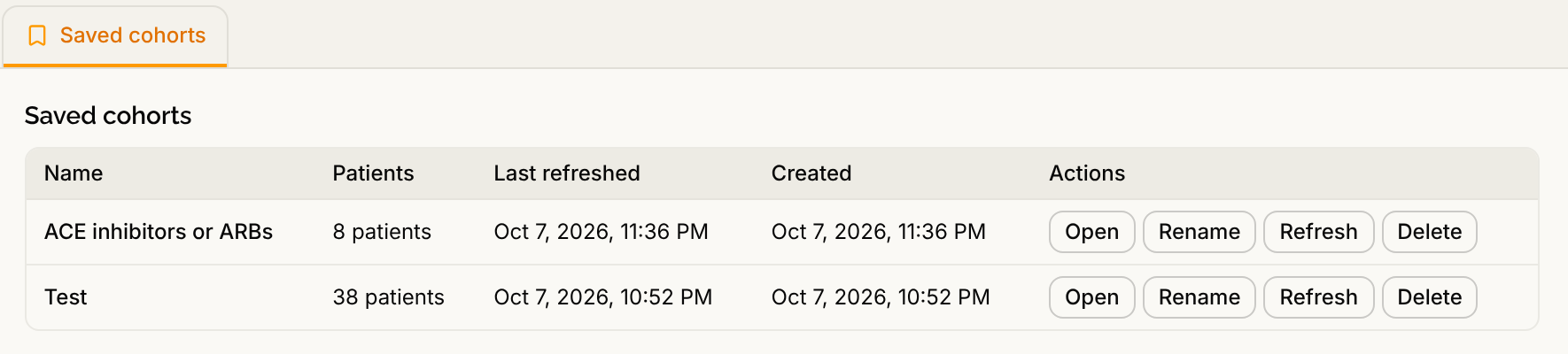
Select Save cohort and name it. Next month, ask "Show my saved cohorts" or "Refresh my most recently saved cohort". Refresh runs the same search again as a new list, so you see who matches today. Saved cohorts are listed under Saved cohorts.
Step 4: Turn it into a report
Ask for a document:
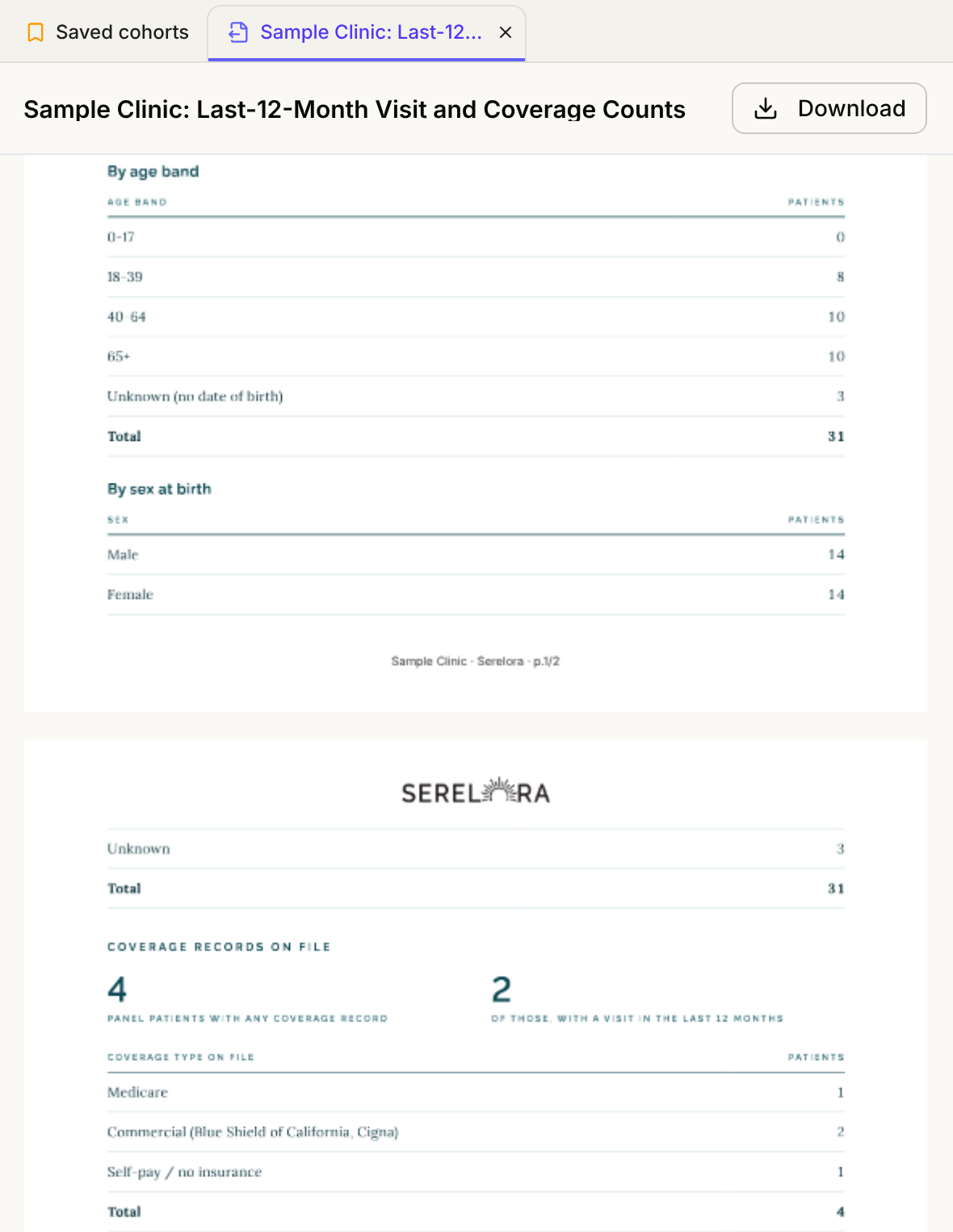
Make me a PDF summary of this cohort.
The report opens in a tab, and a practice report shows your clinic's name in its footer. To change it, tell the agent what to change. Download it, or ask the agent to email it. See Generating PDF Reports and Sending a Report.
For direct primary care, two guides build on this: Employer Reporting for DPCs and Patient Wellness Reporting.
Step 5: Act on a group (optional)
A cohort can feed more work. Export CSV downloads the list, with a warning about patient information that you must acknowledge. The agent can also propose an intake campaign to a cohort, see Intake Campaigns from a Cohort, and, where your clinic has it, have the agent review each chart, see Sub-Agents Across a Cohort.
What Serelora does not do
- It does not report on money. The Practice Agent does not read invoices, balances or revenue. Use the Billing pages, see Month-End Accounts Receivable Review.
- It does not search a very large panel yet. If your panel is larger than 20,000 patients, the agent says it cannot search it.
- It does not invent figures. A report is built only from counts the agent retrieved in the conversation. Check every number against the chart before you share it.
- It is not a dashboard. Results come from the questions you ask, and nothing refreshes on its own.