Search documentation
Find a documentation page by the words on it.
Documentation
Spanish on the Sign-In Pages
The Serelora pages you use to get into your account can be shown in Spanish. This page says how to switch, which pages change, and what does not.
Step 1: Select ES
On any sign-in or sign-up page, look at the top right corner. A small box with a globe icon holds two buttons, EN and ES. Select ES.
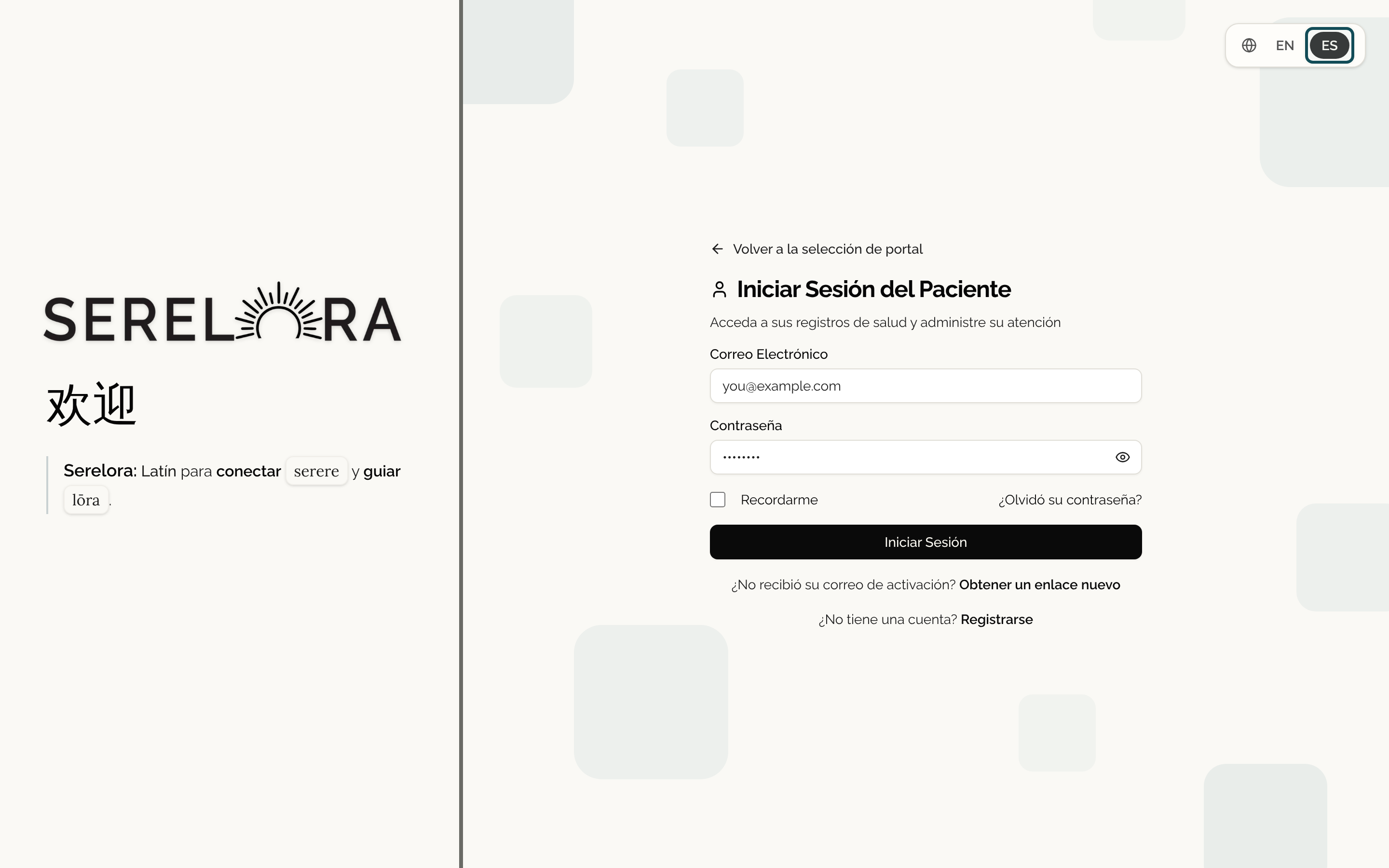
The page changes at once. For example, I'm a Patient becomes Soy un Paciente, and Patient Sign In becomes Iniciar Sesión del Paciente. Select EN to go back to English.
Step 2: Carry on in Spanish
The choice stays as you move between the pages and is remembered in this browser, so it is still Spanish the next time you open the sign-in page on this device. Another device or browser starts in English until you switch it there too.
These pages are available in Spanish:
- The choice between patient and provider on Welcome back.
- The patient sign-in page, including Recordarme and the forgot-password link.
- The patient sign-up pages, from the welcome page to Complete Sign Up, and the Check Your Email page after it.
- Forgot Password? and Reset your password, and the pages that tell you a reset or activation link has expired or can no longer be used.
- The page for asking for a new activation link.
See Signing In to the Patient Portal and Signing Up and Onboarding for what each page does.
What stays in English
- The page where you choose a password after you verify your email. It is shown in English.
- Some short messages. The sign-in error "Invalid email or password" is shown in English.
- The patient portal itself. After you sign in, the Chat, Appointments, Records, Billing, My Clinics, Consents and Message settings pages are in English. The same is true of the intake steps, and of the consent forms your clinic uploaded, which appear in the language the clinic wrote them in.
If you need help in Spanish with anything after you sign in, ask your clinic's front desk. Clinic staff can switch their own sign-in screens too. See Spanish on the Provider Sign-In Screens.