Search documentation
Find a documentation page by the words on it.
Documentation
Sessions and Signing Out
A session is the time Serelora remembers that you signed in. This page says how long it lasts, how to end it, and what Serelora does in your other tabs when it changes. To sign in, see Signing In.
How long a sign in lasts
A sign in lasts up to seven days. After that, Serelora asks you to sign in again. Signing in on a second computer or phone does not sign you out of the first.
Always log out on a shared or public computer.
Log out
Select your avatar at the top right of the header, then Log out. Serelora returns you to the sign-in page.
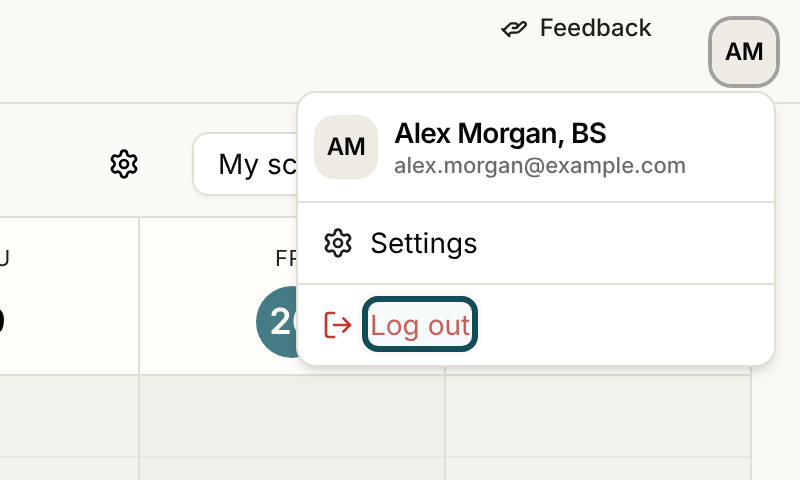
Logging out ends your sessions everywhere, not just on this device. If you are signed in on your office computer, your laptop and the Serelora Provider app, logging out on any one of them signs you out of all three. This is deliberate: a copy of your sign-in cannot outlive a logout. In the app, signing out may show a message that you are signed out on this device only when Serelora could not confirm the account-wide sign-out. Sign in and log out again if you need to be sure.
Other ways a session ends
Your sessions can also end without you choosing to log out:
- You reset your password. Serelora tells you that you have been signed out on your other devices. See Resetting Your Password.
- You confirm a new sign-in email. Serelora shows Your sign-in email has changed. Sign in again with your new address. See Your Account Settings.
- You set your password from an activation link. Any earlier session on the account ends, and Serelora signs you in on the device you used.
- Seven days pass.
When a page cannot continue because your session is over, Serelora asks you to sign in again. A request that is refused for that reason reads Your session has ended. Please sign in again. See Signed Out Unexpectedly.
What your other tabs do
Serelora keeps your open tabs in step with your account, so a tab does not keep showing someone else.
- You log out in one tab. Your other Serelora tabs notice and return to the sign-in page. An idle tab notices within about fifteen seconds, or as soon as you switch back to it.
- You sign in as someone else in another tab. A tab that was showing the first person reloads to show the new one.
- You switch clinic in one tab. Your other tabs reload into the clinic you chose. See Switching Between Clinics.
- A sign-in page is open in a second tab. When you sign in in one, the other reloads and takes you to Serelora.
A tab that is recording or uploading a visit with the AI Scribe waits until the recording is stopped and uploaded before it reloads. See Recovering or Discarding an Unsent Recording.
If your connection drops briefly, or Serelora is being updated, your tabs stay as they are and check again a little later. They do not sign you out because of a short failure.
Good to know
- Settings has no password field. To change a password you know, log out and use Forgot password? on the sign-in page.
- A clinic administrator cannot sign you out. Removing you from a clinic ends your access to that clinic, but it does not end your sign in. See Removing Staff.