Search documentation
Find a documentation page by the words on it.
Documentation
Do-Not-Bill-Insurance Requests
A patient who pays for a visit in full out of pocket can ask that the visit not be shared with their health plan. Serelora lets you record that request on the visit, so everyone on your team can see it and the visit is treated as self-pay.
This feature is controlled by the Billing feature flag. If you do not see it in your clinic, contact Serelora at support@serelora.com and ask for it to be turned on.
Insurance claims, prior authorization and eligibility checks are not covered in this documentation yet. This page covers the record itself, which works whether or not your clinic uses insurance billing.
Step 1: Open the visit's charges
Open the patient's chart, select Billing, then the Encounters sub-tab, and select the visit. See Adding Charges from a Visit. The visit's charges open in their own tab.
Step 2: Select Record restriction
Under the heading "Charges" and the visit's date, select Record restriction. If your clinic has insurance billing, the same panel shows a Billed to line with a Change button instead, and the same choice is in that dialog.
The dialog is titled "Don't bill insurance for this visit". Tick the box that says the patient paid in full out of pocket and asked that this visit not be shared with their health plan. The label also names the HIPAA provision the request relies on. A note then says the visit becomes self-pay and that claims, prior authorizations and eligibility checks for it will be refused.
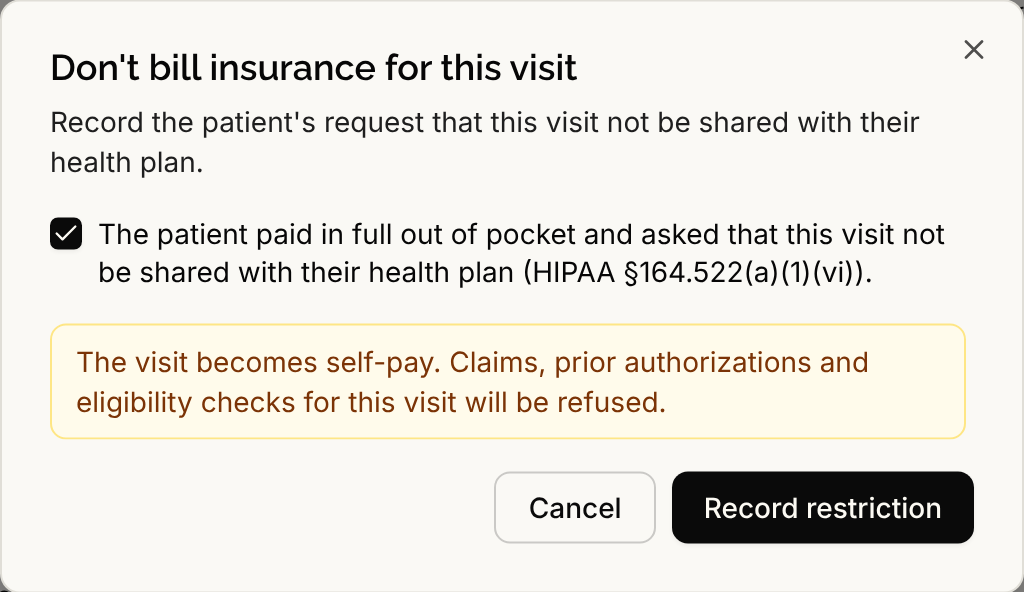
Record this only when the patient has actually made the request. Select Record restriction to save it.
Step 3: Check the visit
An amber note now sits on the visit. It starts "Not billed to insurance at the patient's request" and adds that claims, prior authorizations and eligibility checks for this visit are refused. Everyone who can open the visit's charges sees it. Charges on the visit are invoiced to the patient directly, see Invoices.
If a claim for the visit was already sent to the payer and not rejected, Serelora refuses the request and says so: "A claim for this visit was already sent to the payer, so the restriction can't stop that disclosure. Contact your compliance lead."
If you recorded it on the wrong visit
Select Void restriction beside the amber note. The dialog "Void the restriction" says it is only for a restriction recorded on the wrong visit, and that a patient who changes their mind is not this case. Choose the reason Recorded on the wrong visit and select Void restriction. The restriction stays on the record as voided. It is not deleted.
Who can do this
Admins, Physicians, Office Managers and Administrative Assistants can record a restriction by default, because it needs the same permission as adding charges. Voiding needs the permission to issue invoices, which Admins and Office Managers have by default. A clinic admin can change what each role may do.