Search documentation
Find a documentation page by the words on it.
Documentation
Co-Signing Orders
When a physician assistant proposes an order, it waits for one of the clinic's physicians or admins to sign it. Co-signing turns the proposal into a signed order. If it is not right, you return it with a reason. Only an Admin or a Physician can do this.
This feature is controlled by the Orders feature flag. If you do not see it in your clinic, contact Serelora at support@serelora.com and ask for it to be turned on.
Step 1: Find the proposals
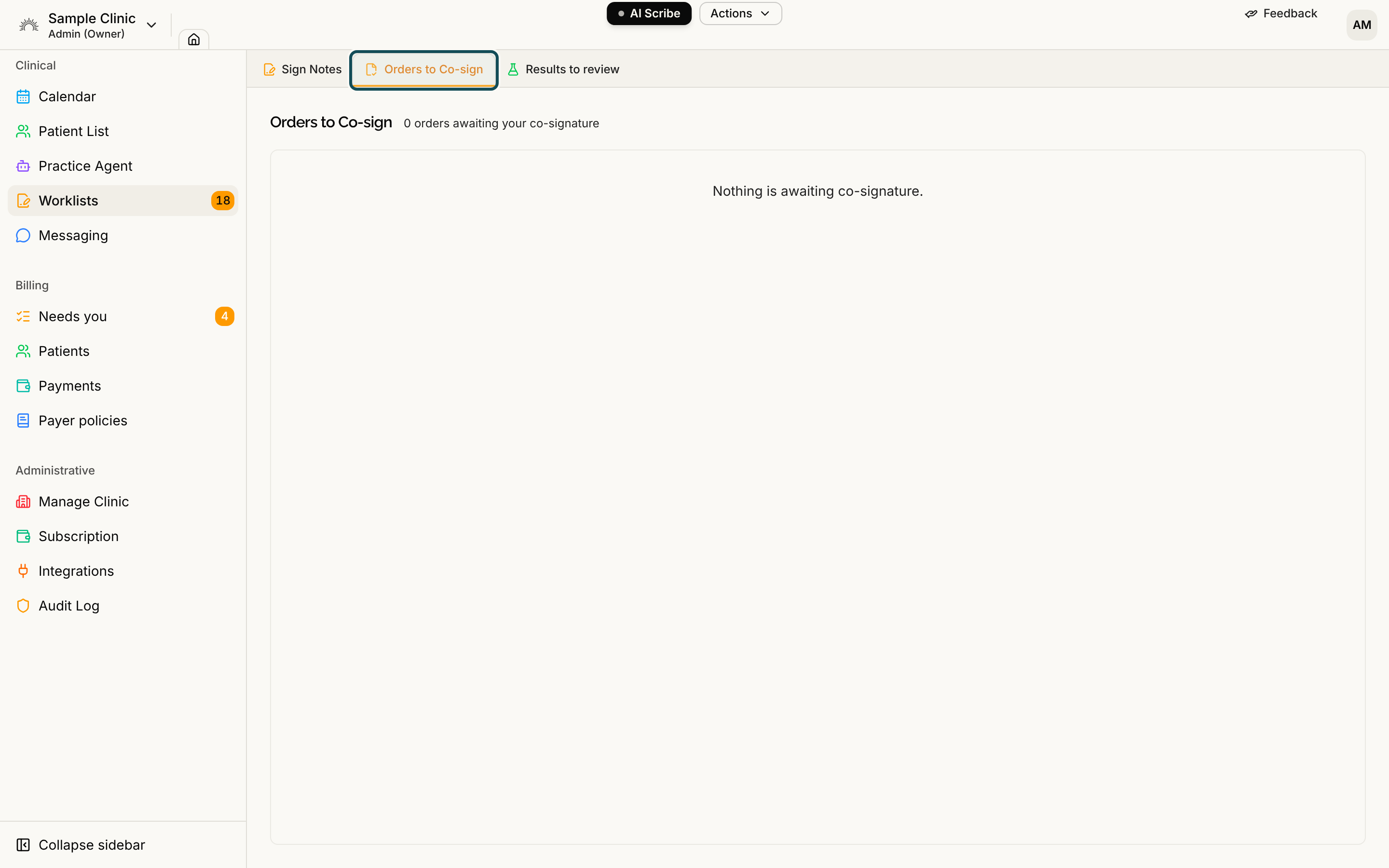
Select Worklists in the sidebar, then the Orders to Co-sign tab. A count appears on the tab when proposals are waiting, and the heading says how many orders are awaiting your co-signature. Each row shows the Patient, the Order, its Type and Priority, who it was Proposed by and when it was Submitted. The list is shared by everyone at the clinic who can sign orders, and nobody is assigned to a particular proposal, so agree among yourselves who takes them.
You are also notified when a proposal arrives. The notification reads "An order is waiting for your co-signature", and its View order button opens the patient's chart.
If the list is empty, it says "Nothing is awaiting co-signature."
Step 2: Open the patient's chart
Select a row. It opens the patient's chart, but not on the Orders tab, so select Orders yourself. The proposal shows an Awaiting co-signature badge, with Return and Co-sign buttons at the right of its row.
Step 3: Co-sign or return
To co-sign, review the order and select Co-sign. You see "Order co-signed". The proposal becomes a signed order. Serelora records the physician assistant as the person who requested it and you as the person who signed it, and the physician assistant is notified.
To return it, select Return. In the Return to proposer window, tell the proposer what needs to change in the What needs to change? box, then select Return. The reason is required. It goes to the proposer and is not added to the clinical record. You see "Order returned to the proposer". The proposal leaves your list until the physician assistant revises and resubmits it.
Co-signing records the order in the chart. Serelora does not send it to a pharmacy or lab. See Orders Overview.
If you do not see the Orders to Co-sign tab, see Missing Order Buttons. To place an order yourself, see Placing an Order.
See also The Worklists Page.