Search documentation
Find a documentation page by the words on it.
Documentation
Filing Notes under a Visit
When your clinic uses visits, a note is tied to the visit it documents. That link is what lets the Current visit card list the note, lets Finish visit check that it is signed, and lets the attending find it. Most of the time you do nothing: Serelora files the note for you.
This feature is controlled by the Encounters feature flag. If you do not see it in your clinic, contact Serelora at support@serelora.com and ask for it to be turned on.
How a note gets filed
A note is filed under the patient's open visit when it is saved, if the patient has one open. This happens for:
- Notes you write in the note editor, whether you save them yourself or autosave does.
- Notes created by the voice scribe.
- Notes drafted by the chart agent.
Filing never blocks or delays a save. If the patient has no open visit when you save, the note is simply not attached. A note that was started before check-in picks up the visit the next time it is saved.
Once a note is filed under a visit it stays there. Saving again does not move it to a newer visit. To move one on purpose, see Attaching Notes to a Visit.
See which visit a note is filed under
The note editor's header shows a chip:
- Visit followed by a date and time, with a Change link, when the note is filed.
- Not attached to a visit, with an Attach link, when it is not.
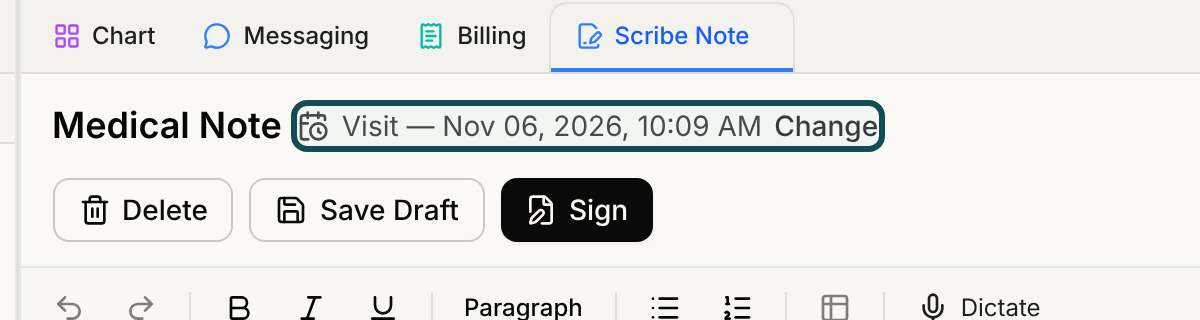
The note also appears in the Current visit card's Documents list, and in the Documents column of the Encounters tab.
The Start a visit prompt
If you save a draft note, or edit the visit reason, type or triage note, for a patient who is not checked in, a dialog titled Start a visit? appears. For a note, it tells you the note is saved but is not linked to a visit because the patient is not checked in. For visit details, it tells you they cannot be saved until the patient is checked in.
- Select Start a visit to open the check-in dialog. Once the visit exists, your note is filed under it, or your visit details are saved.
- Select Not now to carry on. A saved note stays valid without a visit. Visit details are not saved until a visit exists.
The prompt appears only for explicit saves, not autosave, and only for roles that can start visits, which is every standard role. A physician assistant or medical assistant sees an extra sentence: they need a visit before they can submit the note for review.
Why it matters
- A visit cannot be finished while a note filed under it is an unsigned draft. See Finishing a Visit.
- A note must be attached to a visit before a physician assistant or medical assistant can use Submit for Review. Until then the editor says "Attach this note to a visit to submit it for review." in place of the button.
- In the sign dialog, a note that is filed under an open visit offers Close this visit when I sign. A note with no visit shows "This note is not attached to a visit." and a Start visit button.