Search documentation
Find a documentation page by the words on it.
Documentation
Starting a Free Trial
A Serelora free trial lasts 7 days and starts when you finish setting up your clinic. You do not need an invitation or a sales call. You create an account, set up your clinic, and the trial begins when you close the tutorial's final dialog.
Step 1: Create your account
On the Serelora website, select Start free. You land on the Create your account screen. Enter your work email in Email Address and select Create account.
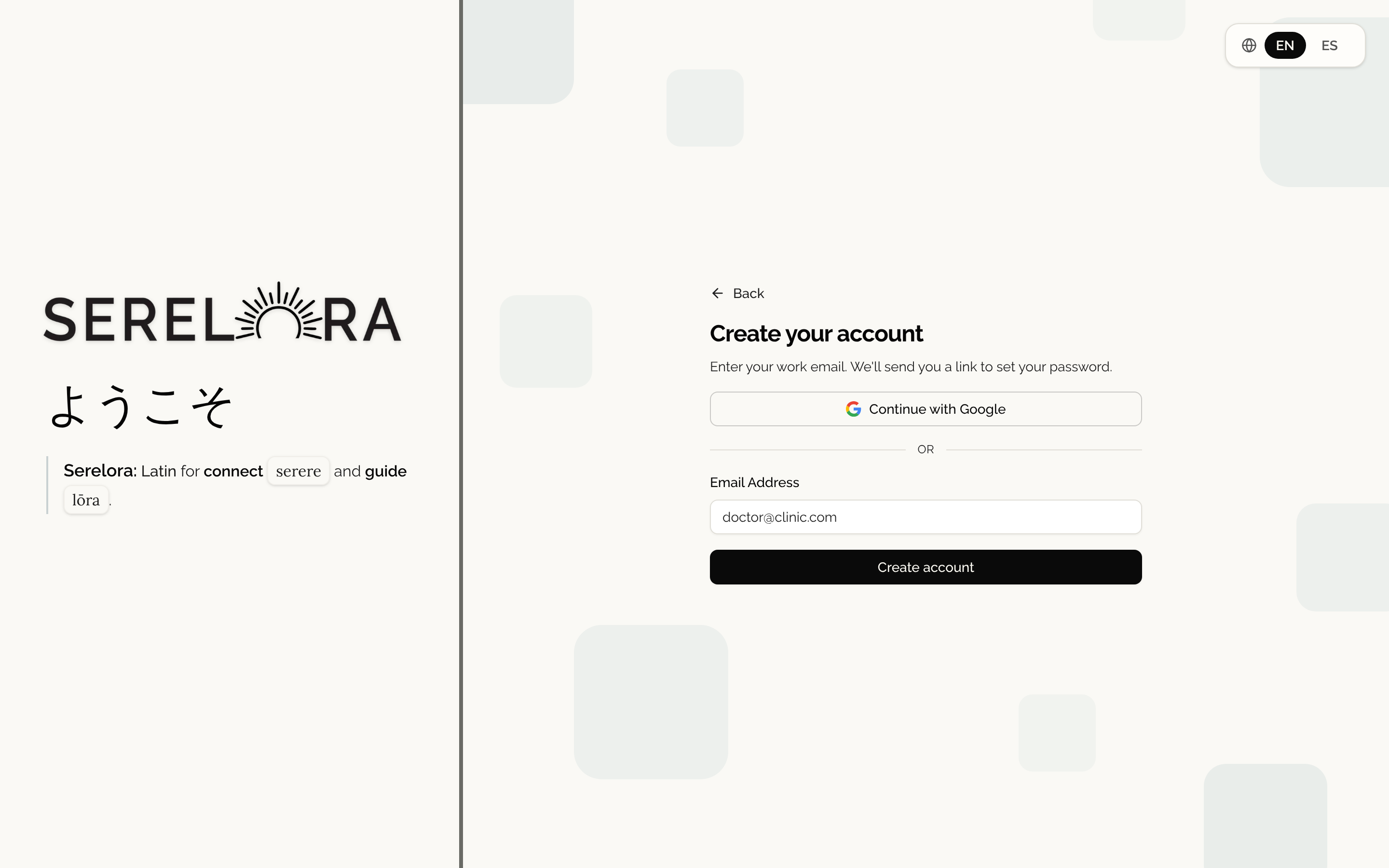
If you use Google for work or personal mail, you can select Continue with Google instead. A Google account on @gmail.com or on a Google Workspace domain is signed in straight away. Any other address gets an emailed link to confirm it (see Signing In).
Step 2: Check your email
Serelora sends a link to the address you entered. The link works for 24 hours. Open it, set a password, and you are signed in. If the email does not arrive, see Verifying Your Email.
Step 3: Set up your clinic
The first time you sign in, Serelora opens Set up your clinic. It asks about you (starting with your NPI), then your clinic, then asks you to sign the Business Associate Agreement. Creating Your Clinic walks through each screen. You become the clinic's administrator.
Step 4: Take the tutorial
After setup, Serelora opens a guided tutorial on a synthetic test patient. You can take it or skip it. See The Guided Tutorial.
Step 5: Your trial begins
When you finish or skip the tutorial, Serelora pages through a short closing dialog. Select Get started on its last page, and Serelora starts your clinic's free trial and shows 1 week free, on us. The trial starts once per clinic, and only for a person whose role includes the permission to manage the clinic's subscription. The Admin role includes it.
To subscribe at any point, open Subscription in the sidebar. Subscribing during the trial ends the trial and begins billing. See Your Serelora Subscription and Seats.
Serelora is available to practices in the United States today. If you choose another country during setup, Serelora shows Serelora isn't available in your country yet. and offers a way to book a call.