Search documentation
Find a documentation page by the words on it.
Documentation
NPI Verification
Serelora confirms an individual (NPI-1) number by asking the public CMS NPI Registry. Where you enter an NPI, Serelora checks it before it saves anything.
Where an NPI is checked
| Where | What you do | What Serelora does |
|---|---|---|
| Set up your clinic | Enter your NPI and select Verify NPI | Fills in your name, role and specialty from the registry record and locks your name to it |
| Settings, Account tab | Enter an NPI in NPI (optional) and select Save changes | Saves it with the registry's spelling of your name |
| Add Staff | Enter a colleague's NPI and select Verify | Requires the exact number to be confirmed before Add Staff Member works |
| Edit staff info | Enter or correct the NPI | Checks the number against the registry when you save |
Your clinic's own organization NPI (NPI-2) is a different number with its own checks. See Clinic Profile and NPI.
Add your NPI to your own account
If you skipped the NPI during setup, you can add it later.
- Select your avatar at the top right of the header, then Settings.
- On the Account tab, type the 10 digits into NPI (optional).
- Select Save changes.
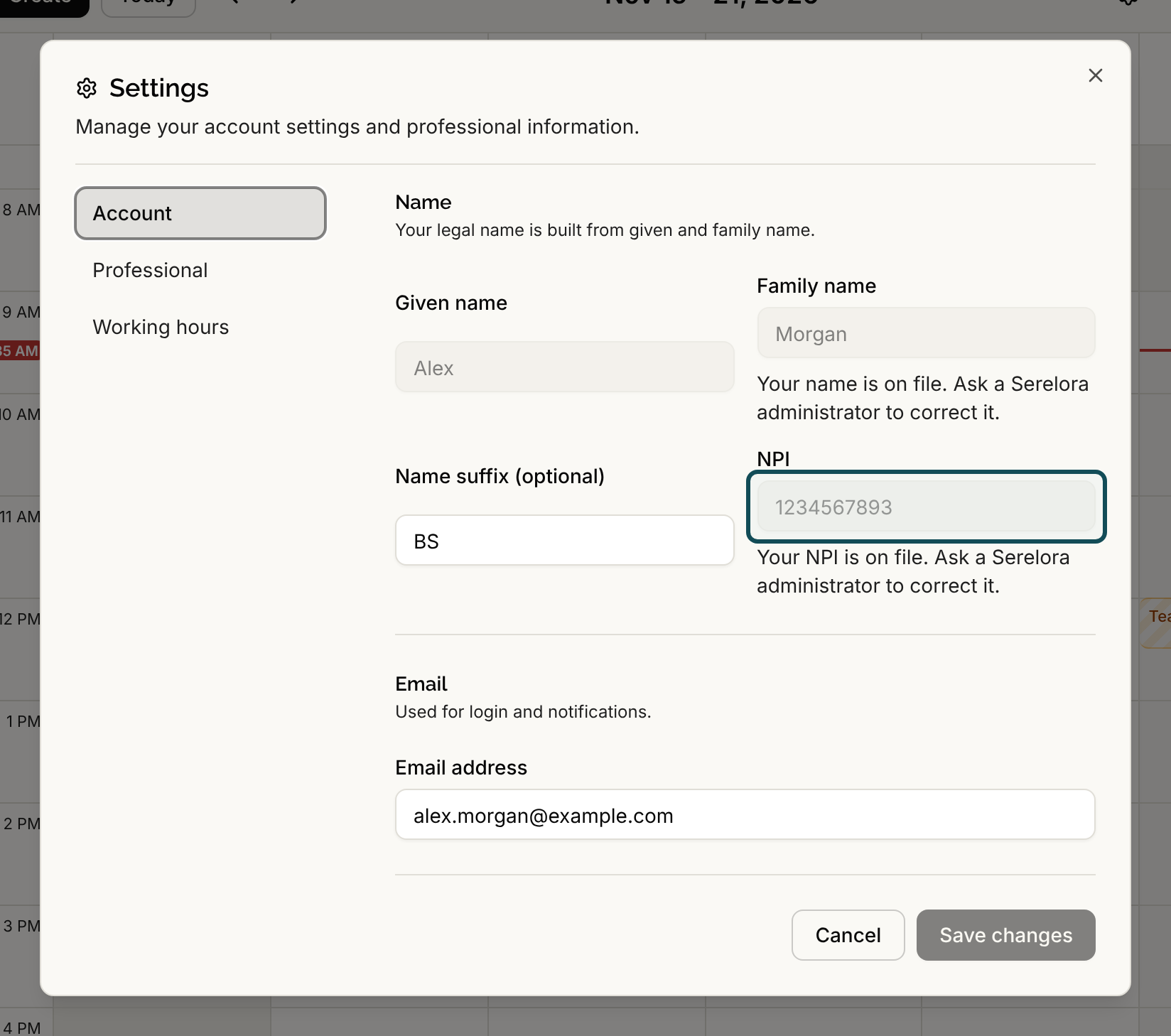
You can add an NPI, but you cannot change or clear one after it is saved. The field then reads Your NPI is on file. Ask a Serelora administrator to correct it. To correct a saved number, contact Serelora at support@serelora.com.
An NPI must belong to you. If the registry lists the number under a different name, Serelora shows That NPI is registered to a different name than your account. Ask a Serelora administrator to update your record.
What the messages mean
- We couldn't confirm that NPI in the CMS registry. The registry returned no record. Serelora says only that it could not confirm the number. The registry does not separate a number that was never issued from one that was later deactivated, so Serelora does not tell you the number is invalid or missing. Check the digits. During setup you can continue without an NPI, and in Add Staff you can leave the field blank.
- Enter your 10-digit NPI. The number is not 10 digits.
- That isn't a valid NPI. Check the number for a typo. The digits fail the NPI check digit, so the number was never issued. Retype it carefully.
- We couldn't reach the NPI registry to confirm that number. Try again in a moment. The registry was unavailable. Serelora never treats an outage as a rejection and never saves a number it could not check.
- We couldn't add that NPI to your account. Ask a Serelora administrator for help. The number cannot be saved to your account. The message does not say why or whose number it is. Email support@serelora.com.
An NPI check shows that a number exists in the registry. It does not show that a person is licensed or credentialed.