Search documentation
Find a documentation page by the words on it.
Documentation
Suggestion Chips and Starter Prompts
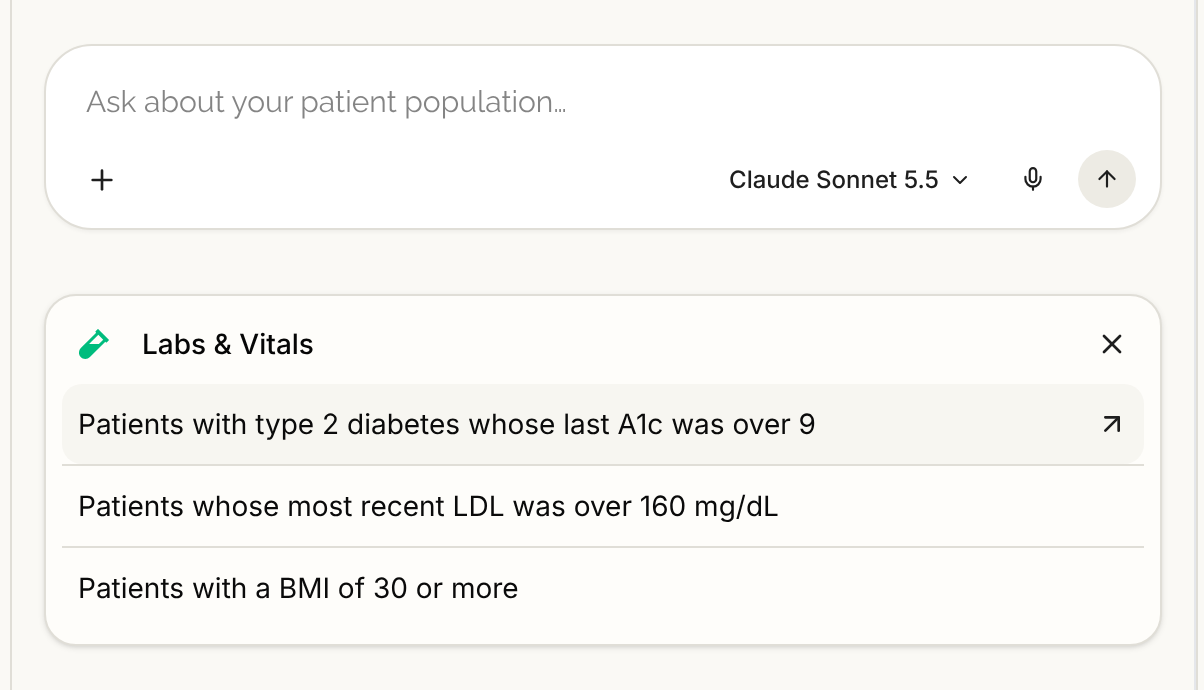
An empty chat shows a row of chips under the input. Each chip is a category. Select one to see three example prompts, then select a prompt to put it in the input. Nothing is sent until you press Send, so you can edit the wording first. The chips go away once the conversation starts.
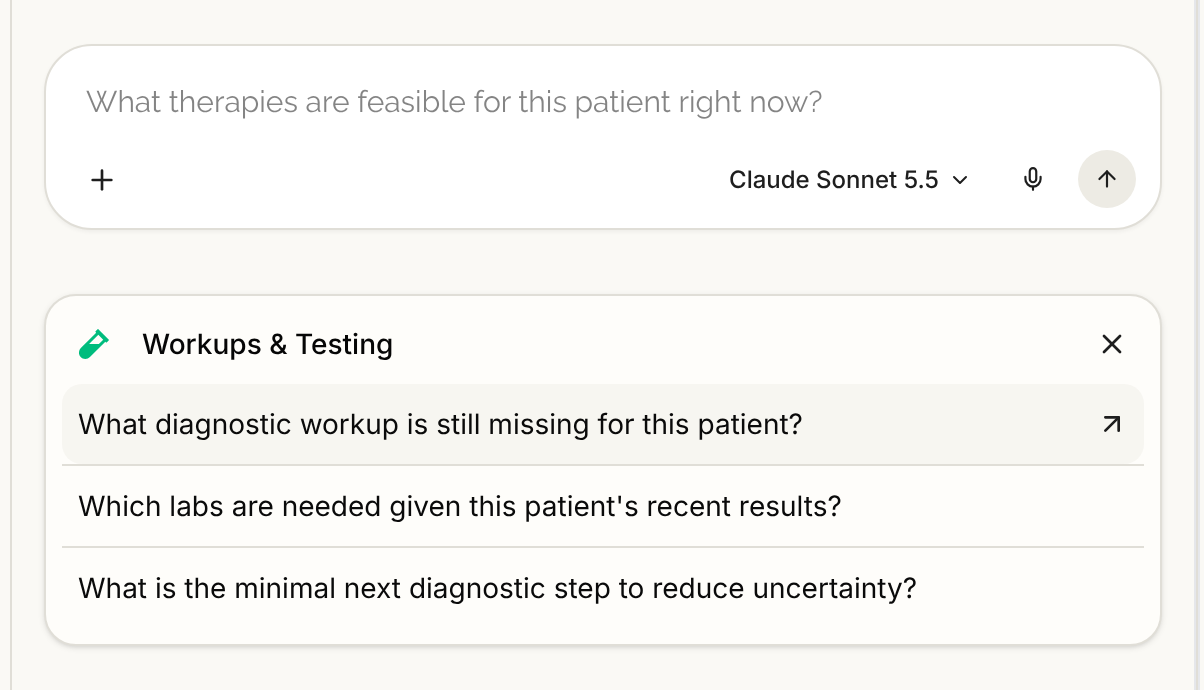
The chart agent's chips
All of these ask about "this patient", the one whose chart is open.
Patient-Specific Treatment & Decisions
- What therapies are feasible for this patient right now?
- Which guideline-recommended options are contraindicated for this patient, and why?
- If we escalate therapy today, what is the safest next step for this patient?
Workups & Testing
- What diagnostic workup is still missing for this patient?
- Which labs are needed given this patient's recent results?
- What is the minimal next diagnostic step to reduce uncertainty?
Clinical Documentation
- Draft a concise visit summary for this patient with assessment, plan, and counseling points.
- Draft a referral letter stating the clinical question, pertinent history, and what you need from the consultant.
- Draft a patient-facing after-visit summary with medications, follow-up, and when to seek urgent care.
Prior Authorization & Appeals
- Generate a payer-specific prior authorization using this patient's documented failures and severity.
- What evidence best supports coverage for this therapy in this patient?
- How should this appeal be framed given this patient's clinical history?
Discharge & Aftercare Planning
- What are the highest-risk gaps in this patient's discharge plan?
- How should aftercare instructions be adjusted given this patient's home situation?
- Which follow-ups are most critical for this patient to avoid readmission?
Calculate Risk
- Calculate risk of ER visit in 30 days.
- Calculate risk of hospitalization in 12 months.
- Calculate risk of mortality in 10 years.
Questions such as the ones under Patient-Specific Treatment & Decisions depend on published evidence, so the agent looks them up and cites its sources. See Literature Answers and Citations. The prompts under Clinical Documentation ask for a draft that you review. See Writing Notes with the Chart Agent.
The three Calculate Risk prompts ask for outcomes that no calculator can answer today, so expect the agent to say a calculator is not available. See Risk Calculators for the one that works.
The Practice Agent's chips
These ask about your whole patient panel. Each one produces a list of patients that you can open, save and export. See Practice Agent Question Types.
Conditions & Diagnoses
- Patients with an active diagnosis of hypertension
- Patients with COPD or asthma diagnosed in the last 2 years
- Patients with both type 2 diabetes and chronic kidney disease
Medications
- Patients on a statin with no visit in the last 12 months
- Patients currently taking metformin
- Patients on an ACE inhibitor or an ARB
Labs & Vitals
- Patients with type 2 diabetes whose last A1c was over 9
- Patients whose most recent LDL was over 160 mg/dL
- Patients with a BMI of 30 or more
Care Gaps & Visits
- Women aged 50–74 with no mammogram in the last 2 years
- Patients with diabetes and no A1c in the last 12 months
- Patients with an appointment booked in the next 30 days
Registration & Demographics
- Patients who have never registered for the portal
- Patients with an email on file who haven't finished intake
- Female patients aged 65 and older
Saved Cohorts
- Show my saved cohorts
- Refresh my most recently saved cohort
- Break down this cohort by age and sex
The two prompts about refreshing and breaking down a cohort need a cohort to exist. Run a search first, or save one. See Managing Saved Cohorts.
The hint in the input
The input also shows one of these prompts as a grey hint and changes it from one visit to the next. In a chart chat, press Tab to fill the hint in. It is a convenience only. See Chat Input and Message Controls.
Good to know
- Chips are examples, not a menu. The agent answers ordinary sentences as well.
- The same chips appear in the Agent tab of the Serelora Provider phone app. See The Agent Tab.
- A prompt that asks for something your clinic has not turned on still fills the input. The agent then tells you it is not available. See AI Agent Features Not Available.