Search documentation
Find a documentation page by the words on it.
Documentation
Exporting a Signed Note as PDF
A signed note downloads as a PDF you can save, print or share under your clinic's policies. The PDF is made from the signed text, so it matches what is in the chart.
Step 1: Open the signed note
In the patient's chart, open the Documents tab and select the signed note, or open its tab if it is already open.
Step 2: Download
Select Export in the header, then Download PDF. Your browser saves the file.
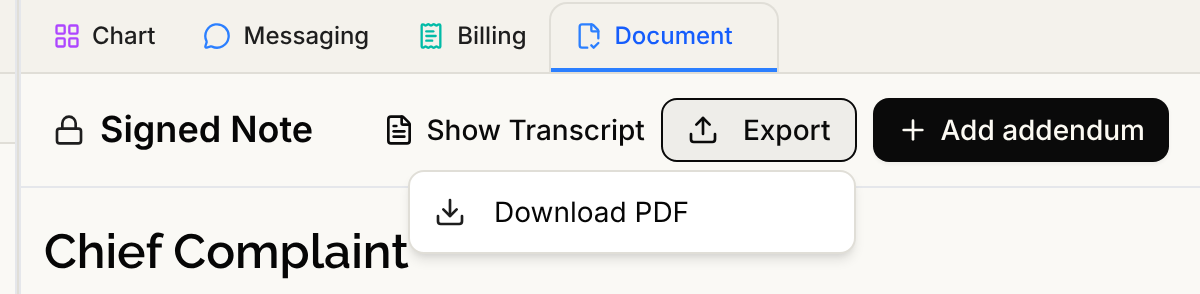
If Export is dimmed, point to it. It says "Loading the signed note…" while the note opens, or "No note text available to export" when there is nothing to export. For the general Export menu and documents that are not notes, see Downloading a Document or Note.
Anyone who can open the patient's chart can download the PDF.
What is in the PDF
- A patient identity block on the first page with the patient's name, date of birth and MRN. Every page also carries the patient's name and MRN in the footer, with page numbers, so a loose page can be filed correctly.
- Who wrote and signed it. Rows under the identity block list Drafted by, Signed by and, for a co-signed note, Co-signed by. Each addendum has its own row, such as Addendum 1, and Last updated shows the latest change in your clinic's time zone.
- The signed text, including the signature line at the end.
- Every addendum, each under its own heading with its own signature.
- Formatting. Headings, bold and italic, bullet and numbered lists with their sub-lists, and tables are kept. A table is drawn as a grid with a header row that repeats if it runs onto another page. Underline is not carried, because it is not part of the saved note.
- Citations and references. Numbered citations and the References list are included. The list shows each full web address so it still works on paper.
Good to know
- A PDF takes a moment to prepare after you sign. If you see "This note is signed and part of the record. Its attested PDF is still processing and will appear shortly.", the signature is complete and the PDF will follow.
- A PDF you already downloaded does not change. If someone adds an addendum later, download the note again to get the newest version.