Search documentation
Find a documentation page by the words on it.
Documentation
Order Sets
An order set is a saved group of orders that clinicians add to a cart in one step. Your clinic builds its own sets, for example a sore throat workup or an annual lab panel. Everyone who can see orders can see the sets. An Admin or a Physician can create and change them.
This feature is controlled by the Orders feature flag. If you do not see it in your clinic, contact Serelora at support@serelora.com and ask for it to be turned on.
Step 1: Open the Order sets list
Select Manage Clinic in the sidebar, then the Orders tab, then Order sets. The table lists every set with its number of orders, its version and a status badge (Default or Retired). Retired sets stay in the list.
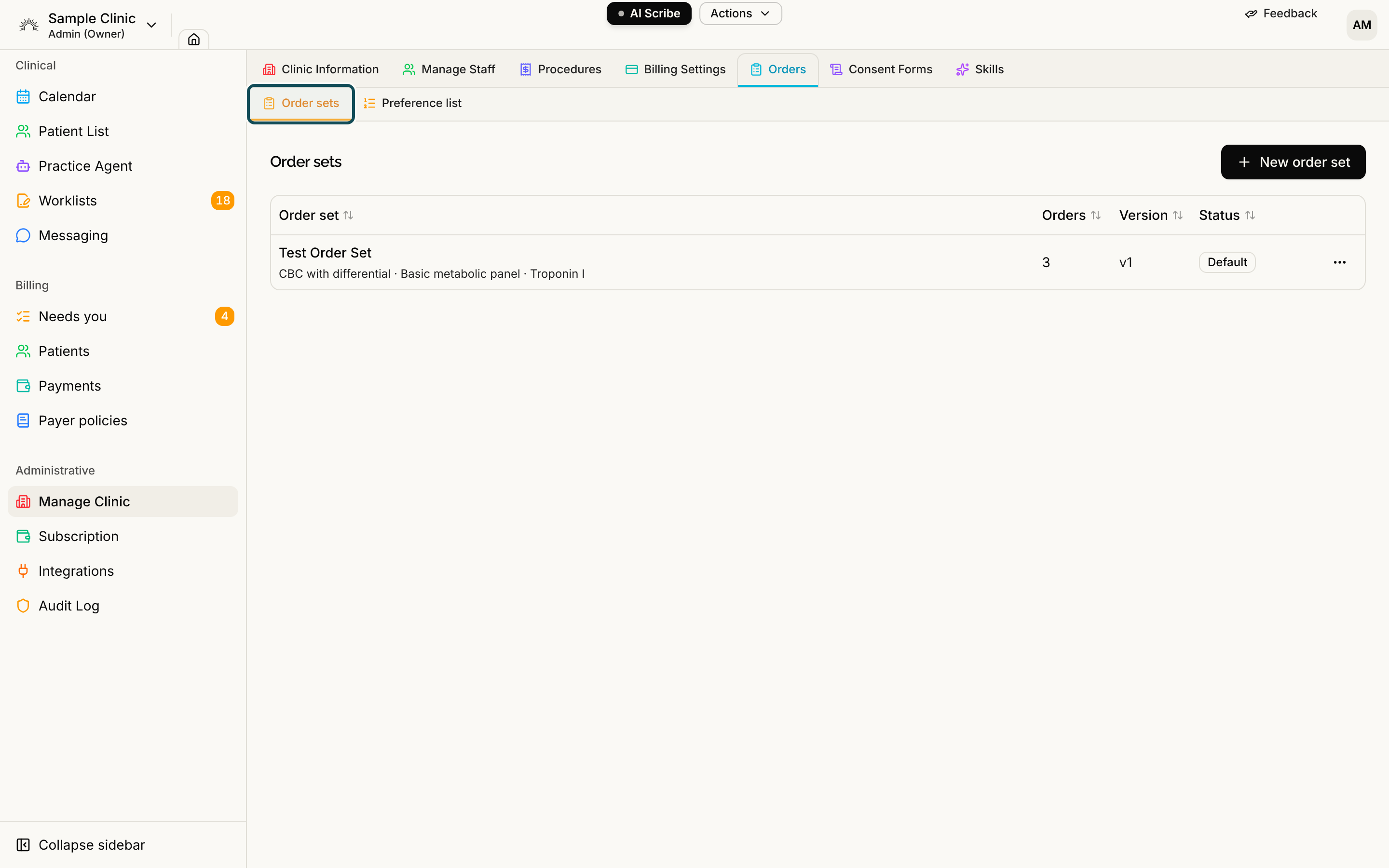
If you cannot see the Orders tab, your clinic does not have Orders turned on, or your role cannot see orders.
Step 2: Create a set
Select New order set. Give it a Name, and a Description (optional) if it helps.
Step 3: Add the orders
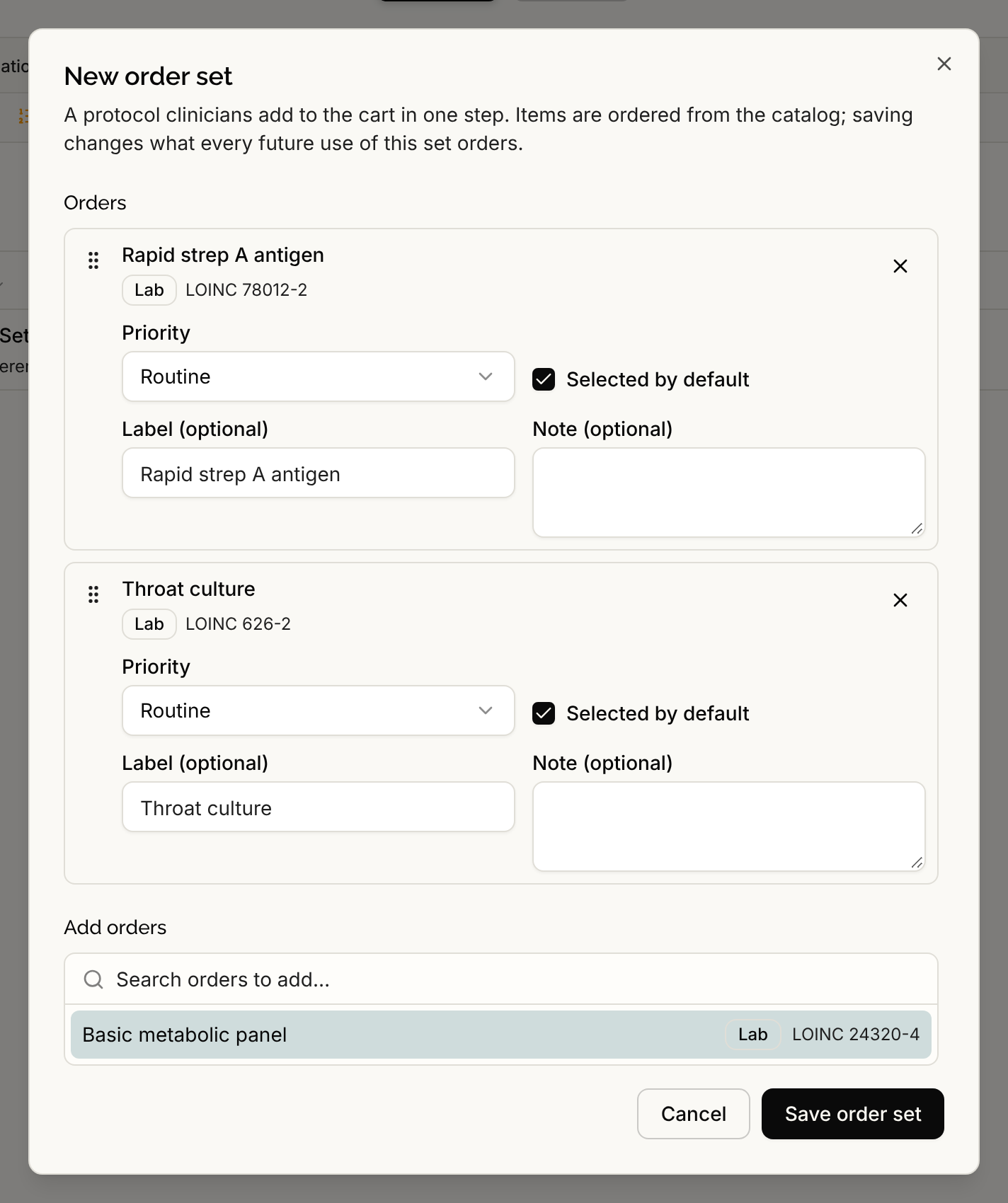
In the Add orders search, type and select each order to add. For every order in the set you can set:
- Preset, for medications. This is the ready-made set of directions the order starts with.
- Priority. It starts at the catalog's suggestion.
- Selected by default. Orders left on are checked when someone applies the set. Orders turned off are still added to the cart, but unchecked.
- Label (optional), to show a different name in the cart.
- Note (optional), for protocol instructions.
Drag the orders to put them in the sequence you want, and use the X to remove one. A set holds up to 50 orders.
Step 4: Save the set
Select Save order set. You see "Order set created". The set now appears under Order sets when clinicians search in New orders.
Change, retire or default a set
Use the row's actions menu:
- Edit opens the same window. Saving changes what every future use of the set orders. The Version goes up when you change the name, description or orders.
- Mark as default makes the set appear when someone opens New orders before typing. Remove default undoes it.
- Retire takes the set out of New orders. Reactivate brings it back.
If an order in a set was retired from the catalog afterwards, the editor flags it and Save order set stays off until you remove it.
Save a cart as an order set
You can build a set from a cart you already filled in. In New orders, select Save as order set, name it and save. A set cannot hold some rows, and the window lists them under "These orders can't be saved into an order set:". These are rows you typed in instead of picking from the catalog, medications with edited dosing, and labs with an edited specimen or fasting choice. Notes and scheduled times are not saved. The new set is active and is not a default.
Use a set
In New orders, find the set under Order sets, or leave the search empty to see default sets, then select it. See Placing an Order.