Search documentation
Find a documentation page by the words on it.
Documentation
Reports Overview
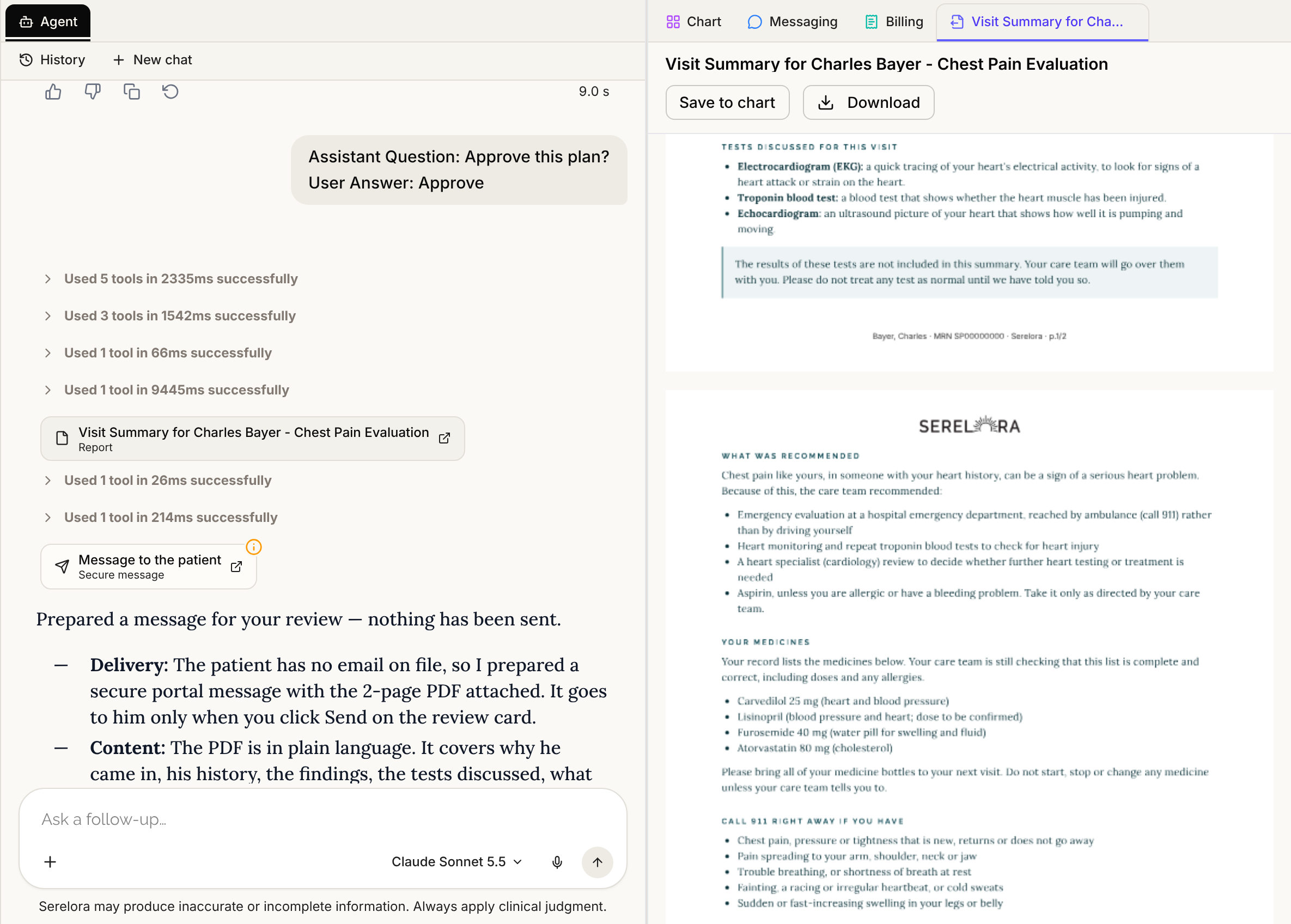
A report is a PDF that an agent builds from the information it has read. You ask in plain language, the agent gathers the data, and the finished report opens in a tab where you can read it and download it. A report is meant to be read, kept or handed to someone, not answered in chat.
Two kinds of report
- A patient report comes from the chart agent, in one patient's chart. It is about that patient, and its page footer shows the patient's identity.
- A practice report comes from the Practice Agent. It covers a cohort or the practice and has no patient, and its page footer shows your clinic's name.
What you can ask for
Ask for a report in your own words. The agent builds one only when you ask for a report, not for a routine chat answer. These requests work.
In a patient's chart:
Put together a risk report for her.
Make me a health-check summary PDF.
Calculate her Charlson comorbidity index, then put the result in a report.
In the Practice Agent, after you have a cohort:
Make me a PDF summary of this cohort.
Break down this cohort by age and sex, then put it in a PDF report.
For a cohort, first ask for the group, for example "Patients with diabetes and no A1c in the last 12 months". A practice report is built from counts and breakdowns the agent has actually retrieved in the chat. It does not invent figures. See Practice Reports from a Cohort.
For direct primary care practices there are two step-by-step guides: Employer Reporting for DPCs and Patient Wellness Reporting.
What a report looks like
Every report uses the same layout on US Letter pages. The Serelora logo sits at the top of each page, and the footer carries the patient's identity or your clinic's name, then "Serelora" and the page number. The agent can include tables, callouts and charts drawn directly in the report. A report cannot load pictures or content from outside, so it contains only what the agent drew.
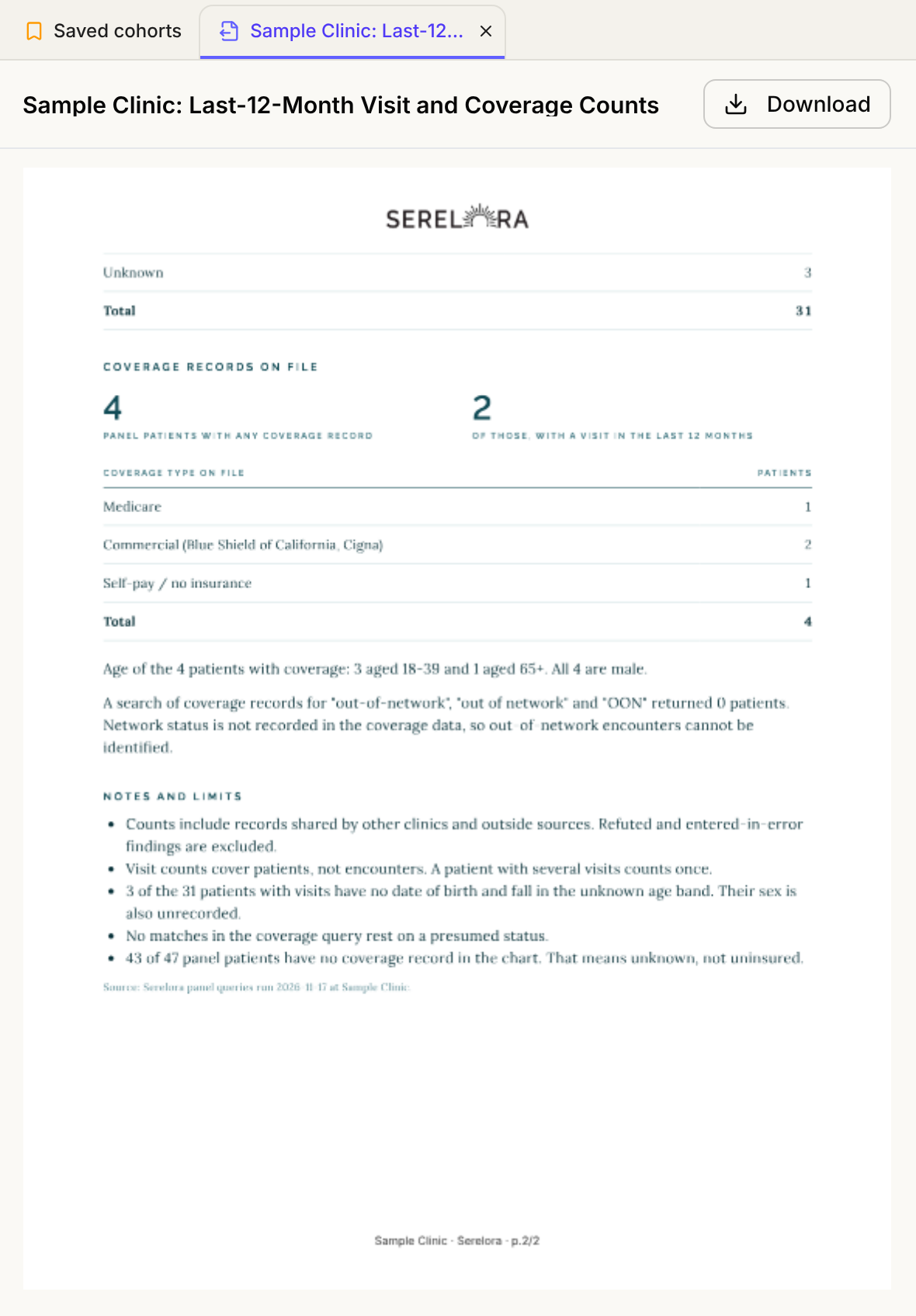
Reports use Serelora's standard look. They do not carry your clinic's own logo or colors, and there is no setting to change that.
What a report is not for
- Clinical notes and insurance documents. A visit note, discharge summary, prior authorization or appeal letter is a note, not a report. Ask the chart agent to write it as a note so that you review and sign it.
- Adding facts to the chart. A saved report is a document only. Serelora does not read facts out of it into the patient's record.
Who can create and see a report
- Creating. There is no separate permission. You can ask for a report in any chat you can use. The data in it is limited to what that agent could read for you.
- Seeing it. A report is visible to the person who created it. It opens from the activity panel of the chat that produced it, whenever you return to that chat.
- Practice reports. The Practice Agent is Admin only by default. Downloading or emailing a practice report also needs the export permission, which is Admin only by default.
- Patient reports. A patient report is private to its creator until it is saved to the chart. The patient sees nothing until you send it. See Saving a Report to the Chart and Sending a Report.